Thursday, July 20, 2017

More Deceit from the FCC Ministry of Propaganda

Tech News and Opinions

The FCC admits it didn’t file a report on its own DDOS attack

Maybe because it never happened. The site was shutdown by an avalanche of people logging in to protest the FCC stand on Net Neutrality. The supposed DDOS attack was a lie.

AlphaBay, Hansa taken down in dark web market crackdown

Adios, AlphaBay. US and European law enforcement agencies have slammed shut a booming online trade in drugs, weapons and stolen identities.

Why am I getting so many robocalls?

The Federal Communications Commission is working to help rid the world of the 2.5 billion spam calls made every months. Here's what they're up against.

Google bolsters security to prevent another Google Docs phishing attack

It's about to get really difficult to accidentally fall for a phishing attack.

Best External Drives of 2017

Your desktop setup is incomplete without an assist from external storage.


Desktop and Laptop Tips and Tricks

Windows 10 no longer supported? How to tell if your PC is eligible for latest version

Millions of three- and four-year-old PCs are being blocked from installing the latest Windows 10 feature update. Is your PC at risk? Here are two ways to check for potential problems.

What Is the AppData Folder in Windows?

Windows applications often store their data and settings in an AppData folder, and each Windows user account has its own. It’s a hidden folder, so you’ll only see it if you show hidden files in the file manager.

6 things you should know about backing up your PC

Is it time to rethink the old ways of archiving your data? Maybe all but one of them...

Best Windows Backup Software

The best programs for keeping your data and Windows safely backed up

How to Reverse Look Up a Phone Number

Rather than answering the phone or calling the number back, there are a few quick ways you can identify just who it was who tried to call you.


Mobile Computing Tips and Tricks

These are the cheapest data plans you can buy in the U.S.

Have a carrier in mind or just looking for a cheap plan? Here are the cheapest plans you can get from every one.

Top iPhone or iPad apps for productivity

Give your productivity a boost with some of the very best productivity apps available for the iPhone and iPad.

​Google is using machine learning to create a news feed from your searches

Google has rolled out a new version of its news feed that's based on the user's interests. (Android and iOS)

Apple releases iOS 10.3.3, macOS Sierra 10.12.6, and watchOS 3.2.3 updates

Before you install any OS update, back up your device, just in case you have problems with the update and need to revert.

Mozilla's new Firefox features improve browsing on iOS and Android

The mobile apps each get a few good upgrades.

Tuesday, July 18, 2017

Microsoft Leads Way to Bring Broadband to Rural Areas

Tech News and Opinions

Microsoft announces rural broadband initiative

Microsoft wants to extend broadband services to rural America by using the buffer zones separating individual television channels in the airwaves.

Android as we know it is dead, but it's not going to go away

Android has problems, and Google knows that and has plans to replace it with something better. But the Android name won't be going anywhere.

With HoloLens, Microsoft plots a prosaic path toward success

Microsoft's mixed-reality headset is dodging the excitement of gaming and focusing on less glamorous but potentially more worthwhile projects.

A bunch of old PCs just got cut out of Windows 10 support

If your computer has an Intel Atom Clover Trail CPU, you’re stuck in update limbo.

Google is funding the creation of software that writes local news stories

The money will help pay for the creation of Radar (Reporters And Data And Robots), snappily named software designed to generate upwards of 30,000 local news stories a month.


Desktop and Laptop Tips and Tricks

When Windows 10 takes up too much disk space, try this

Compact.exe helps reduce the size of your Windows installation, and there are other tricks, too.

What Google's Backup and Sync app can and can't do

Learn how to set up Google's new desktop app and what it can and can't do.

Macphun Luminar is Now on Windows: Get the Free Beta

Luminar is a powerful photo editing program that’s a competitor to Adobe Lightroom and Photoshop that is easy to use. PS: I've been using it on my Mac for a while now and love it!

Five secret tricks only serious Gmail ninjas need to know

With great power comes great responsibility. If you click into this article, be sure to pay attention to the warnings

Google Earth launches live video feeds to bring us closer to nature

Google Earth is adding live video to its recently released “Voyager” storytelling platform, allowing users to see what is happening around the world in real time.


Mobile Computing Tips and Tricks

The Secret to Saving Money on Cell Phones and Service

You can save money on your phone and plan if you do a bit of homework before you buy.

Microsoft's new app guides you through indoor spaces without GPS

GPS is great for finding your way around, except for when you’re indoors. Thankfully, Microsoft has been thinking about a better way to help you navigate large malls, hospitals, office buildings and parking lots effectively.

Google Maps will now show you how much traffic to expect on your route

Google Maps is capable of some seriously impressive things. Now, Google is expanding on that feature by showing how busy the traffic is along your route by the time of day.

How to take a screenshot on any Android phone

No matter what phone you have, we'll help you figure out the easiest way to snap the screen.

Apple Clears App Store of VPN apps and ad-blockers

If you're using a VPN-based ad blocker for your iPhone or iPad, Apple might soon remove it from the App Store completely or keep you from being able to update the current version.

Life hack: how to best arrange your iPhone apps, one icon at a time

After years of fiddling, I finally cracked it. This is how you should organise your home screen – and it’s advice that could be handy for Android users too.

Thursday, July 13, 2017

A Verizon Security Screwup…14 Million Accounts Exposed!

Pedestrians pass a Verizon Wireless store on Canal Street in New York.

Tech News and Opinions

Millions of Verizon customer records exposed in security lapse

Customer records for at least 14 million subscribers, including phone numbers and account PINs, were exposed

Amazon, Google join 'Day of Action' to defend net neutrality

Thousands of companies and organizations, including Google, Facebook and Reddit, want you to support the push for keeping the rules that govern the open internet

Microsoft Patch Tuesday Update Fixes 19 Critical Vulnerabilities

In all, 54 vulnerabilities were patched in Windows, Edge, Internet Explorer, Office and Exchange as part of Microsoft’s monthly Patch Tuesday release

Microsoft officially ends support for Windows Phone

Your device won't be a brick, but it won't get more updates.

Microsoft app helps blind people ‘see’ the world with AI

The app recognizes currency, speaks text and even identifies visual emotion.


Desktop and Laptop Tips and Tricks

43 Embarrassing Grammar Mistakes Even Smart People Make

Like it or not, words, spelling, and punctuation can leave a lasting impression on others. But even the most educated people often unknowingly make these common flubs.

Windows 10 tip: Secret shortcuts to your favorite settings

Are you tired of clicking through categories to find a specific Windows 10 setting? If you know the right command line options, you can create shortcuts that take you to specific pages with a single click.

Microsoft improves conversations and searches in its Outlook apps

Some of Outlook's more common hassles just disappeared

Google launches a new Backup & Sync desktop app for uploading files and photos to the cloud

The utility is meant to replace the older Google Photos desktop app, as well as the Google Drive client applications for both Mac and PC.

Windows 10 tip: Secret shortcuts to your favorite settings

Are you tired of clicking through categories to find a specific Windows 10 setting? If you know the right command line options, you can create shortcuts that take you to specific pages with a single click.

How to Set Up and Use Windows Speech Recognition

You don't need Cortana to run commands and launch programs in Windows using your voice.


Mobile Computing

Invigorate Your Commute With the Best Car Apps for the iPhone

We’ve put together a list of the best car apps for the iPhone, each of which make your daily commute far more tolerable.

How to set up a safe, kid-friendly iPad or iPhone

Don't hand over an aging iOS device to your eager youngster before doing a little kid-proofing first.

This Android ransomware threatens to expose your browsing history to all your contacts

LeakerLocker forgoes using encryption, instead choosing threats to make money out of victims.

Here are 37 temporarily free and 45 on-sale apps, and both Google Play deals of the week

Android fans...here is your chance to download some great apps that are on sale and even free for a short time. Take a look and see what you can find.

Outlook for Android will soon be seeing layout changes and additional search features

Among the new features are some tweaks for conversation layouts, a new navigation interface, and better search functions.

How to Backup and Transfer your Stuff to a New Android Phone

Getting your data from an old Android phone to a new one isn't hard, but you'll want to follow these steps. (Video)

Tuesday, July 11, 2017

Microsoft Now Says, “Everybody in the Pool!”

A few weeks ago, Microsoft told everyone who did not have the Windows 10 Creator’s Update to hold off downloading it until they were notified they could have it. Now, according to our first story, Microsoft will be telling everyone who still does not have it, to get it now. Talk about a 180 degree turn.

I checked my two non-updated Windows computers and there was no message. But I clicked on the Check-for-Update button on my Samsung laptop and was told I could update (after installing some other updates). To make a long story short, it took many hours before the Creator’s Update was actually installed.

It started the final download late last night so I just let it run and went to bed. It was in the final stages when I got up this morning. Thank God I did not wait for it. But it is installed and running fine.

It was a different story for my older HP Desktop. Again there was no notification from Microsoft and the Update Button downloaded some normal Windows updates. But it never said the Creator’s Edition was ready to install. So for that one, I still sit and wait. It will be interesting to see if I ever get an upgrade notification from Microsoft.

I wish Microsoft would figure a way to get these Windows updated editions out to us sooner. When Apple does a new version of its operating systems, everybody can have it at once. That is really nice. Now I understand Apple only have a few devices that they manufacture…so updating is much easier.

On the other hand, Microsoft is dealing with hundreds of devices made by several manufacturers, so updates may never be smooth. I just wish there was a way to make it happen. Probably wishful thinking on my part.

But the Creator’s edition was released on April 11, and I just got it on my one laptop exactly three months later. True, I was able to get it on my nearly new HP Spectre laptop a month after its release, but , it would have been nice if all my Windows devices could be updated as close to the release date as possible.

On another note, I’ve included detailed user manuals for Firefox, Chrome, and Vivaldi in this edition. I hope you find them of use. PS: I do love using Vivaldi as my browser of choice and they keep adding new features on a regular basis. I still use Firefox on occasion, but never use Chrome. Vivaldi is a derivative of the Chrome system and one can easily download,install and use Chrome extensions in Vivaldi. You might want to give it a try. It is a speed demon!


Tech News and Opinions

Windows 10: Microsoft will now prompt you to install the Creators Update

The first version of Windows 10 is at end-of-service; users will get a prompt to update now.

Opinion: Microsoft needs to stop overpromising Windows 10 features

Microsoft is making the same mistake again and again.

Amazon rolls out Geek Squad-style home services

The new smart home consultation and installation services could accelerate the adoption of Alexa -- and could help Amazon take down Best Buy.

Two-factor authentication is a mess

Nearly all major web services now provide some form of two-factor authentication, but they vary greatly in how well they protect accounts.

Photobucket Is Holding People's Photos To "Ransom"

The company is now charging $400 fee to hotlink images — which will break photos on tons of old websites and blogs.


Desktop and Laptop Tips and Tricks

How—and why—you should use a VPN any time you hop on the internet

Surfing the web through a virtual private network ensures that your online activities are both private and secure

How to manage your music library

It doesn’t matter how big your music collection is if you can’t find the tunes you want. This in-depth guide will help.

Learn the Basics: get started with Firefox

Learn all you need to know about using Firefox, the excellent browser from Mozilla.

How to Use Vivaldi Browser for Linux, Mac and Windows

In this article, we discuss some of these features and explain how to modify them to your liking. We also take a look at other key functionality found within Vivaldi.

How to master Google Chrome

Essential tips and tricks you need if you want to master Google Chrome.


Mobile Computing

Don't go to a carrier just to get smartphone financing

There are better ways to buy a phone affordably than running to the nearest carrier stores.

Google Calendar for iOS adds Today Widget

The Google Calendar app for iPhone and iPad adds a new ‘Today Widget’ for iOS, bringing a quick view of calendar events into the iOS search screen when swiping to the right.

Why Does My iPhone Display “Security Recommendation” for a Wi-Fi Network?

This is a warning that you’re connected to either an unsecured network or one encrypted with weak WEP security.

How to View How Much Time You Spend in Apps on Your iOS Device

You can view how long you've used a particular app in both the last 24 hours and the last 7 days.

The Best Texting Apps for Android

If you’re going to use texting as much as you do, you might as well be using the best apps to do it. Let’s talk about ’em.

13 new and notable Android apps and live wallpapers from the last week

Welcome to the roundup of the best new Android applications and live wallpapers that went live in the Play Store or were spotted by us in the previous week or so.

Thursday, July 06, 2017

Should Twitter Delete the President’s Account?

Image result for photos of president trump and twitter

Tech News and Opinions

Do Trump's tweets violate Twitter's harassment policy?

Twitter has a strong case to delete or suspend the president's account, according to its rules for combating abuse on the platform.

Microsoft will layoff thousands of employees: mostly sales staff

The job cuts amount to less than 10 percent of the company's total sales force, and about 75 percent of them will be outside the U.S., the company said.

T-Mobile will quietly hike prices to Verizon levels

This price hike, which could be coming as soon as tomorrow, is the latest in a string of tiny but noticeable changes to T-Mobile’s pricing strategy in the last year.

Tuesday's massive ransomware outbreak was, in fact, something much worse

The GoldenEye attack wasn’t aiming at your wallet. It was trying to destroy your data.

Amazon’s Alexa passes 15,000 skills, up from 10,000 in February

Amazon is currently the leader in voice-powered devices, where it’s expected to control 70 percent of the market this year — well ahead of Google Home, and others


Desktop and Laptop Tips and Tricks

How to play DVDs in Windows 10 for free

Windows 10 won't play DVDs natively, and Windows Media Center is gone.

Windows 10 will remind you to install the latest major update

Microsoft doesn't want an avoidable malware crisis on its doorstep.

How to Sync Your Browser Bookmarks, Extensions, and Other Data Between Computers

it’s incredibly handy to have your browser history and settings follow you around to other computers. The various makers of your favorite browsers know this, and all of them have built-in tools.

Windows 10 tip: Keep unwanted software off PCs you support

Everyone who does part-time PC support knows the pain of continually having to clean up after a click-happy friend or family member. Here's how to keep that poor soul out of trouble.

The Best Cheap Mechanical Keyboards Under $40

Mechanical keyboards are all the rage computer enthusiasts and gamers. Here is where to start.


Mobile Computing

How to lower your iPhone data usage

Using too much data on your iPhone can significantly raise the cost of your monthly cell phone bill. (Video)

How to Sync Outlook Calendar with an iPhone

If you have an iPhone 7 and a PC, this can be a hassle. The solution is cross-platform syncing, and yes, it is available for Outlook and iPhones.

How to rearrange multiple apps at once on iPhone and iPad

On iOS 11 and later, jiggle mode takes full advantage of drag and drop functionality, allowing you to move a bundle of apps at once, create a folder from multiple apps and more.

Five iPhone apps to help you stop losing your stuff

There are hundreds of tracking apps and devices claiming to help you find your stuff. Here are the good ones.

Best Android phones you can buy [July 2017]

There are dozens upon dozens of great options on the market today, but finding the best of the best can be a bit difficult. Let’s take a look at the best Android smartphones you can buy as of July 2017.

Fresh Meat: 10 new Android apps worth checking out

Here are some great new apps with fewer than 100,000 installs.

Thursday, June 29, 2017

Sprint Sucks!!

Image result for sprint logo pictures

I just wasted three days of my life trying to become a Sprint customer. Three days and several hours! Am I angry? You bet I am! Angry and frustrated. So what happened? I will try and keep this tale of woe short so not to drive you away.

A couple of weeks ago, I ran an article here about how customers of other smartphone providers can get one year of unlimited talk, text and data free from Sprint just by switching…no contract and no catches. For reasons I won’t go into here, I wanted to switch from Verizon to a new carrier. So I decided to give it a try.

According to the article, this offer was not available in stores and could only be completed on-line. So I went through all the pain of providing my information including a credit card number and indicating my willingness to pay for Sprint to overnight me a Sim Card. I clicked on the last button to place the order and a message popped up saying there was some difficulty and I needed to call an 800 number to finish the deal.

So I did. I was connected with an Sprint agent who was obviously speaking to me from some far off foreign land. From there I was passed off to another agent, obviously in the same country. He did not quite know what to do but gave it his best shot. I was on the phone with him for over two hours while he figured out what to do. He didn’t have a hold button so I could hear women and children in the background, all speaking some foreign language I could not identify. Apparently he worked from home.

It took two hours for him to figure out what to do but he finally created an account for me. There was no information in the account, like my phone number as I needed a Sim Card. So, he connected me to another agent who would supposedly get me a card. That agent had no idea what I was talking about. She gave me another phone number to call.

So I did. After a long discussion, with a new agent in that same far off land, she told me she could not overnight me a card like their ad said and that it would take 2-5 days. She advised me to go to a local Sprint store and get a blank card. We made arrangements for her to call me back in the morning at 9:00 AM for the final setup. I went to my local Sprint store and got the card. End of day one.

Day Two: 9:00 AM came and went…no phone call. After relaying my story to the fellow in the Sprint store, he advised me to call the American-based Sprint 800 number. So I did. That phone service kept hanging up on me because I could not provide my phone number. I never did get to talk to a human…American or foreign. Ridiculous!

Finally I called the original 800 number and got to talk with another helpful woman, again in a far off foreign land. We were doing good but she had problems getting my number cut loose from Verizon. So I called Verizon, with her listening in…and after a little difficulty, Verizon made my number available for transfer to Sprint.

However, after the call, she never came back on-line. I called and called, but could not get her back. I finally gave up for the day, figuring she or someone would call me back. That never happened.

Day Three: I made one last call to that far off foreign land and got some jerk who didn’t know his ass from his elbow. He said he could not make the transfer. At this point I lost my composure and told him to wipe my account off the Sprint ledgers and that I was done with Sprint. I would find some other carrier. Free service would have been nice but it wasn’t worth what I went through for three days.

Bottom line, I am still with Verizon for now, but will continue to look for a better rate. The main reason Sprint fell to last place years ago among the 4 main providers was there terrible customer service. Well, from my experience, that has not changed. They might be saving a lot of money by having their customer service in some far off foreign land, but is it worth it? I think not. If they had made this special offer available in their local stores, it might have been a different story. But they could not help me.

Apparently I am not the only one who is dissatisfied with Sprint. You might want to check out what other current Sprint customers think on Reseller Ratings.com. I think I will be avoiding Sprint in the future…free or not!

Thanks for listening. There is good information below including more on the ransomware currently savaging Europe plus some very helpful tips for your computers and portable devices. So keep on reading. -JRC


Tech News and Opinions

Petya, WannaCry: Ransomware is going global

WannaCry should have been a major warning to the world about ransomware. Then the GoldenEye strain of Petya ransomware arrived. What’s next?

Petya cyberattack victims have paid thousands in Bitcoin but won't get their files back

Victims of the ongoing Petya cyberattack have paid £7,064 ($9,000) in Bitcoin to hackers so far to try and get their files back — but they won't have much luck. The ransom website has been blocked.

Microsoft aims to simplify Windows 10 PC set-up with Windows AutoPilot

Microsoft is adding several new management features to Windows 10 Fall Creators Update and its Intune mobile-device management service this Fall.

Trump Accuses Amazon of Not Paying 'Internet Taxes,' Which Aren't a Thing

In an apparent attempt to discredit The Washington Post, the president posted one of his most confusing tweets since taking office.

Tom Wheeler defends Title II rules, accuses Pai of helping monopolists

Former Federal Communications Commission Chairman Tom Wheeler spoke out against the FCC's proposed repeal of net neutrality rules this week, saying the repeal will help monopoly broadband providers abuse their dominant position.


Desktop and Laptop Tips and Tricks

Tips to make you a better Windows 10 multitasker

Be more productive -- or at least more efficient -- with these tips.

Windows 10 will hide your important files from ransomware soon

Microsoft is making some interesting security-related changes to Windows 10 with the next Fall Creators Update, expected to debut in September.

Yahoo Mail rolls out a rebuilt, redesigned service, including a new ad-free option

The update includes a new design, feature set, and technology stack, as well as a new subscription plan for desktop and mobile called Yahoo Mail Pro

Google News gets a fresh new look and more features

There’s now a new navigation column on the left side which you can customize by different topics of interest including Sports, Entertainment, Food, and more.

Parallels Toolbox for Windows launches to simplify your computing life

Parallels is best known for its Windows virtualization tools for Mac, but not today. Parallels Toolbox is debuting on Windows with a whole range of one-click tools that are designed to make your computing life a little easier.


Mobile Computing

5 Fixes For The iPhone "Storage Almost Full" Notification That's Ruining Your Life

Here's how to make it go away once and for all

iOS 11 will change how you'll use your iPad forever

iOS 11 is ambitious because it represents a break from the past, one where Apple is willing to add genuine complexity to iPads and iPhones in the name of productivity.

Set phone reminders for anything

Your phone can act as a combination of secretary and to-do list when it comes to reminding you about what you need to get done

Emoji 5.0 is official, here's all 56 new emoji coming soon

We now have the full list of emoji that will be included in the big Emoji 5.0 (Unicode 10.0) update. Here’s the full list of the 56 new emoji.

Google Photos adds smarter sharing, suggestions and shared libraries

Google today will begin rolling out new sharing functionality in Google Photos, first unveiled at the company’s I/O developer conference in May.

Google's first-ever storewide Play Store sale is now underway!

These covers apps, games, books, and music. Over the course of the next few weeks, you will see discounts wherever you look in the Play Store, and some of these may be super-enticing.
Tuesday, June 27, 2017

New Ransomware Attack Sweeping Europe

Tech News and Opinions

A new ransomware attack is infecting airlines, banks, and utilities across Europe

The most severe damage is being reported by Ukrainian businesses, with systems compromised at Ukraine’s central bank, state telecom, municipal metro, and Kiev’s Boryspil Airport.

Six quick facts to know about today's global ransomware attack

Tuesday saw a second major cyberattack in as many months, affecting several countries and dozens of major companies -- and that's just the start.

Google hit with record $2.7B fine for abusing search dominance

The figure is twice as big as predicted -- and there could be more to come for the search giant as the European Union looks into Android.

Virgin Mobile is no longer selling Android phones

Options are generally a great thing for consumers, and Virgin Mobile would probably agree — as long as you like iPhones.

Google won't scan your Gmail anymore for ad targeting

The tech giant will stop combing through emails to tailor ads. But it’s not like it doesn't have all your info anyway.

Making sense of Microsoft's Surface lineup

With its new Surface Laptop and a major internal makeover for the Surface Pro, Microsoft's line of PCs now includes four models. Here's a closer look at where each one fits in the competitive landscape.


Desktop and Laptop Tips and Tricks

Microsoft revamps Skype in a bid to do battle with iMessage

Its revamped service combines familiar Skype features like instant messaging and international calling with third-party service integration, improved group chat, and photo sharing with the ability to add annotations and emoji stickers.

How to use Microsoft Excel's Conditional Formatting

Set up your spreadsheet to highlight important data automatically.

How to Stop Twitter Videos From Autoplaying

Thankfully, they do so without sound, but it can still be annoying, and if you’re on mobile, it can burn through your data cap.

Windows 10 themes can spruce up your PC, and they're free in the Windows Store

As of the Windows 10 Creators Update, Windows desktop themes are available in the Windows Store to download and install on your fully updated machine.

Troubleshoot Performance issues in Windows 10/8/7

If you are facing performance-related issues like Non-responding programs, freezing, system crashes, sluggishness, etc. , on your Windows PC quite often, then you can try a few of these suggested tips. They may help you resolve such issues.


Mobile Computing

Common iPhone battery problems and how to fix them

Sudden shutdowns got you down? Battery life next to nil? iPhone feels like it's on fire while charging? I've got fixes.

How to Set Apple Maps to Avoid Tolls and Highways

If Apple Maps is your navigation tool of choice and you prefer avoiding toll roads, staying off the highways, or both, it’s easy to tweak Apple Maps to meet your needs.

Facebook's Messenger adds new Snapchat-like filters, animated emoji, and masks

Today Facebook has announced a bunch of new ways to add a bit more fun to video messaging via its Messenger platform.

Here are 45 temporarily free and 61 on-sale Android apps to start off the week

There are quite a few, as is usual for a Monday, so buckle in.

10 best transit apps for Android

You can find transit apps all over the place that help you find a variety of transportation. Here are the best transit apps for Android.

Become an expert at Safari for iOS with these 8 tips and tricks

Hide your frequently visited sites, remotely close Safari tabs on other devices, turn web pages into PDFs, and more.

Thursday, June 22, 2017

Lots of Windows 10S Reviews Are In…Not Good

windows-thumbs-down.jpg

Tech News and Opinions

Reviewers give a giant thumbs-down to Windows 10 S

Microsoft shipped a new edition of Windows 10 last week, preinstalled on its elegant and eagerly anticipated new Surface Laptop. How did reviewers react to Windows 10 S? Spoiler alert: They hated it. They really, really hated it.

California may restore broadband privacy rules killed by Congress and Trump

State law could protect customers' browsing history, but FCC rule is still dead.

iPad Pro vs. Surface Pro: 5 ways to choose

Apple's and Microsoft's top tablets aim to replace your laptop, but can they? Here's how to find out.

Microsoft Surface Pro vs. Surface Laptop vs. Surface Book vs. Surface Studio

The computers are so good, even Apple is following Microsoft's lead.

Advanced CIA firmware has been infecting Wi-Fi routers for years

Latest Vault7 release exposes network-spying operation CIA kept secret since 2007.


Desktop and Laptop Tips and Tricks

How to use Gmail's Google Tasks as your daily to-do list

Dedicated to-do apps abound, but one of the best may be right in your inbox. Google Tasks, integrated into Gmail, provides a simple way to create ordered task lists, complete with due dates, and even turn emails into action items. Here’s how to get started.

How to search Google

These hidden tricks that will help you find what you need faster.

How to Give Your Facebook Profile a Custom URL

How to add an easy to remember username to your Facebook account, and with it, get a simple URL you can point people to.Let’s look at how.

Microsoft Brings Dictation to Office

You’ll need to install a plug-in for this to work. But you also won’t need to be on the latest version of Office, or using some Office 365 subscription.

Google Launches Go-To Job Aggregation Site

The initiative will allow Google users to search for jobs either on mobile devices or personal computers, and to use a set of filters to obtain highly targeted results pulled from many different sites across the Web.


Mobile Computing

How to Back Up All Your Photos with Amazon’s Prime Photos

Many Amazon Prime subscribers don’t realize that in addition to free shipping and Prime Instant Video, they also get unlimited photo storage for all their computers and mobile devices.

Download: Sega Forever Free Classic Games For iOS And Android Launches, Details Here

Sega, one of the most well-known gaming companies in the world, is releasing a new collection of free-to-play retro games for the iOS and Android platforms under the Sega Forever brand.

Android vs. iPhone: 6 Android features missing from iOS 11

Sure, iOS 11 looks cool, but Android's still cooler in some key ways.

Everything you need to know about the JPEG-killing HEIF format Apple is adopting

HEIF is the new photo format that Apple is using to replace JPEG. And it probably will replace JPEGs, because the iPhone is the most popular, most-used camera in the world, and as of iOS 11, most iPhones will be switching from JPEG to HEIF.

How to transfer all your stuff from one Android phone to another

No one wants to spend forever moving all their stuff to a new phone. Here's a quick and painless guide to get you up and running fast.

Tuesday, June 20, 2017

Amazon Buys Whole Foods. The Ramifications are Huge!

A customer walks into Whole Foods in Longmont, December 15, 2016.

In case you missed it, Amazon plans to buy Whole Foods for over $13 billion…thereby entering the brick and mortar side of retail in a big way with over 450 stores. Will this change the grocery business? You bet it will! It will also change all retail business in a big way.

Amazon has been eating away at many retail businesses since its inception. Remember Borders Books, Barnes and Nobles, and hundreds of other small bookstores? Same is happening to toy stores. That’s the Amazon Effect. Amazon cornered the on-line shopping world and has now become the “Everything Store.” They can now bring their expertise to the traditional retail world with new concepts that will shake up everything.

Do you use Amazon? I sure do! I am a Prime Member and shop them for most everything these days except groceries. I’ve used them for years because their customer service, prices, and broad choice of products makes them so easy and wonderful to use. They are an exceptional company that offers true value for my dollar. Now, I can get a plethora of products delivered to my door the same day that I order them on-line.

When its 114 outside as it is as I write these words, home delivery sounds pretty good. And that is what we can come to expect from Amazon/Whole Foods…probably at pretty good prices. Wal-Mart will be forced to do the same…and as I do much of my grocery shopping at Wal-Mart Neighborhood Market, that is OK with me. I could write a whole blog about Wal-Mart competitive food prices.

As for Whole Foods prices, they are higher than most grocery stores…but there is already talk that Amazon plans to lower prices and shed the high price image of Whole Foods stores. We shall see.

My first three stories go in-depth on what this all means for us normal, everyday consumers, and how some of the traditional stores we have been shopping at for years may disappear in the next couple of years. I encourage you to read them.

You may also find some other interesting stories and tidbits in the rest of this blog, so why not give it a good look. Thanks. -JRC


Tech News and Opinions

Amazon to buy Whole Foods for $13.7 billion, dives into bricks, clicks, groceries

Amazon said it will keep Whole Foods running under current leadership as it expands its physical and grocery footprint in one swoop.

Amazon vs Walmart: It's on!

According to Credit Suisse, over 8,600 brick-and-mortar stores may close their doors in 2017. Bebe, JC Penny, Sears, and Macy's. Get ready to kiss them good-bye. Malls? They'll be as quaint as vibrant downtowns.

The real reason Amazon buying Whole Foods terrifies the competition

Whole Foods under Amazon's stewardship will almost certainly accept lower profit margins than it does as an independent chain — and that spells trouble for everyone else in the grocery business. Some interesting videos included.

Nearly 200 million US voter records leaked by GOP firm

Personal details of American voters were stored on an unsecured and exposed server.

Apple Music isn’t even close to catching up to Spotify

The score: Apple 27 Million...Spotify 140 Million.


Desktop and Laptop Tips and Tricks

How to manage your music library

It doesn’t matter how big your music collection is if you can’t find the tunes you want. This in-depth guide will help.

ProtonMail makes its free VPN service available to everyone

ProtonMail, the encrypted email created by CERN and MIT scientists, has released a new product in response to the administration's roll back of Obama-era internet privacy rules...a VPN services that is free for life.

Windows 10 customize touchpad

One of the biggest improvements the Creators Update recently brought to Windows 10 was enhanced support for Precision Touchpads, the built-in mousepads on select laptops that support multi-touch gestures.

Microsoft's Modern Keyboard hides a fingerprint sensor

Microsoft has quietly unveiled the Modern Mouse and Modern Keyboard, its next generation of Windows 10 input devices.

Use your TV as a computer monitor: Everything you need to know

Will it even work? The short answer: Yes, although you may need a special cable depending on what type of input/output ports you’re working with.


Mobile Computing

How secure is your favorite messaging app?

Here are four benchmarks to evaluate the security of your favorite app.

Cortana can now be set as the default assistant on your Android device

The personal assistant arms race is heating up, as the latest update for Microsoft's Cortana can now easily replace the Google Assistant.

Best Microsoft Office Alternatives for iOS

If you're used to the Microsoft Office suite of apps but for some reason want other options, then check these out for your iPhone.

Would you pay $25 a month for a premium Angry Birds membership?

The developers of the new Angry Birds Evolution game sure hope so.

Sprint offers a free year of unlimited data. What's the catch?

No, it's not a joke, but it is a limited promotion. Here's how you can get access to the deal.

Seven tips for shooting nature photos with your smartphone camera

Nature is full of interesting stuff, and, thanks to smartphones, we’re almost never without a pretty-good-quality camera.

Thursday, June 15, 2017

What is “The Internet of Things?” Find Out Here

Image result for photos of internet of things

Tech News and Opinions

Everything you need to know about the Internet of Things in less than four minutes

Now you can learn everything you need to know about IoT by watching the latest episode of Explanimators from Microsoft Story Labs

Microsoft's 'Office in the Windows Store' release is coming June 15

The full versions of Microsoft's Office apps, brought to the Windows 10 Store using the 'Project Centennial' bridge are set for imminent release.

Google Drive To Let Users Backup Their Entire Computer To Cloud

It was only a matter of time before a popular cloud-based storage stepped out of the shadows of that particular industry and attempted to play its hand to monopolize the market

Windows 10 S Review: Faster, Simpler -- and Incredibly Painful To Use

It joins Windows 10 Home and Windows 10 Pro as the three versions of Windows aimed at consumers. However, confusingly it is not an upgrade to either, but a class of Windows in and of itself.

US internet company refused to participate in NSA surveillance, documents reveal

The company, which wasn't named, quietly pushed back in the government's secret court against the National Security Agency's surveillance program, but ultimately failed.


Desktop and Laptop Tips and Tricks

How best to change your display settings in Windows 10

Use Window 10's built-in tools to tune your display.

The 5 Best Free VPNs to Maintain Your Privacy Online

There are both paid and free VPN services. Free VPN services will likely use your data for their own commercial goals or bombard you with ads. They’re also slower and less reliable than paid VPNs. Here are a few free VPNs that you might want to consider signing up to.

Windows 10 tip: Manage your saved Wi-Fi networks

Every time you connect to a wireless network, Windows saves your connection properties. Here's how to trim unwanted networks from that list and how to prevent metered networks from blowing up your monthly bill.

Firefox 54 is out: 'Faster but no memory hog like Chrome'. So is it time to try it again?

Mozilla says its thrifty multi-process architecture delivers speed and stability without hogging memory. JRC: I am using the new version and it is definitely faster.

How to Change Your Display Name on Twitter

There’s a long tradition of people changing their names to a joke or pun because it’s Christmas or Halloween, or just for no reason at all. Here is how to do it.


Mobile Computing

How to Use a Cell Phone for Dramatic Night Photography

Whether you’ve packed your camera bag light or are simply looking for a creative way to make a picture work in extremely dark conditions, your mobile phone flashlight is a surprisingly capable and adaptable lighting tool.

Microsoft Updates iOS Photo App 'Pix' With Artistic Filters Powered by AI and Deep Neural Networks

The company said that the Pix team used neural networks to browse massive datasets of classic paintings in order to "learn the essence of what makes a given style of painting recognizable."

6 super YouTube tricks for Android and iOS

You'll get an eyeful once you watch your first YouTube video in virtual reality. Also: browse videos in private, double-tap to skip ahead, and more.

5 steps to make your own in-flight entertainment system

Plane trips can be long, but it's now pretty easy to take entertainment with you to pass the time.

Should you be excited about the Essential Phone from the co-creator of Android?

When the co-creator of the Android operating system announces a smartphone, you pay attention. Andy Rubin recently introduced the Essential Phone, a bid to give the iterative smartphone market as much of a jolt as Android itself did.

Tuesday, June 13, 2017

XP Users: Beware of New Cyberattacks

xp-patch-wannacry.jpg

Tech News and Opinion

Don't Be Fooled by the Comcast PR Machine: It Has Always Opposed Internet Freedom

Years of lobbying and litigation has made it clear Comcast wants to turn the Internet into a toll road and run the booth

Microsoft warns of 'destructive cyberattacks,' issues new Windows XP patches

Last month's devastating WannaCry ransomware outbreak was just a warning shot. In an unprecedented move, Microsoft today released critical security updates to block another wave of similar attacks, making those patches available on unsupported versions like Windows XP and Server 2003.

Verizon now owns Yahoo, as Marissa Mayer resigns

Yahoo's president and CEO resigns as Verizon closes its $4.48 billion deal to acquire the internet pioneer.

Microsoft shutters Docs.com, pushes users to SlideShare and OneDrive

Every now and then, a company will make a product or service that arrives on the market, is ignored by most people, and then is shut down without warning -- and very few people actually care.

Microsoft unveils the $499 Xbox One X, the most powerful console ever

The big takeaway? It's significantly more powerful than the PlayStation 4 Pro, so much so that it can run some games at 4K/60 frames per second.


Desktop and Laptop Tips and Tricks

How to delete your Google data

You have some power over the data, and we'll show you how to wield it.

Microsoft Shows Off Big Changes for Windows 10

New features include a more easily resizeable user interface for the Start menu and Action Center, the ability to pin favorite Web sites and other improvements to the Edge Web browser, Cortana intelligent digital assistant, and a pen-based handwriting experience.

The best Chrome extensions to view, edit and save PDF files online

Chrome offers various extensions that simplify dealing with PDF documents.

How to Burn Any Video File to a Playable DVD

Streaming may be the most convenient way to watch most movies, but it doesn’t hurt to have a physical copy of your movies or home videos as a fall back. If you want to make a backup copy of your movie collection, or just burn a playable DVD of your own videos, it’s pretty easy—and free.

6 Ways to Organize your Personal Life Using Evernote

Use Evernote for your everyday tasks, such as creating to-do lists, keeping personal records, and saving important documents. When it’s all organized in Evernote, you can quickly find what you’re looking for.


Mobile Computing

How to restore an iPad to factory settings

Do you have plans to flog your old iPad before a new one comes out? Or, perhaps, you’ve downloaded some new software that’s caused it to bork. Either way, your device will need to be reset.

iPad Pro 10.5 review: overkill

A little more than a year after Apple released the 9.7-inch iPad Pro, it’s replacing it with a new model, the iPad Pro 10.5.

How to set up a safe, kid-friendly iPad or iPhone

Don't hand over an aging iOS device to your eager youngster before doing a little kid-proofing first.

It's not too late to stop your phone from wrecking your neck

Bad posture really can mess up your spine. It happened to me, but there are things you can do to prevent the problem and feel better.

How to Take Better Photos on Your Phone

First of all, realize the phone is a “real” camera. Ignore anyone who tells you otherwise.

Moving from Android to iOS: Lessons learned helping with a transition

There are many reasons people choose one operating system over another and no single OS is best for everyone.

Friday, June 09, 2017

DirecTV to Support only Chrome Browser

Image result for directv Now and Browser images

Tech News and Opinions

Kaspersky files antitrust complaint against Microsoft for disabling its anti-virus software

According to Kaspersky, “Microsoft uses its dominant position in the computer operating system (OS) market to fiercely promote its own – inferior – security software (Windows Defender) at the expense of users’ previously self-chosen security solution."

Lawsuit Alleges FBI Used Geek Squad to Spy on Customers

Digital privacy advocates at Electronic Frontier Foundation have filed a lawsuit against the US Justice Department, alleging that the FBI used Best Buy’s Geek Squad to search for child pornography.

British PM on terror threat: Let's blame Facebook, not our police cuts

Faced with increased pressure from the UK government to prevent terrorist activities online, Facebook has pledged changes which will make the social media platform a "hostile environment" for extremists.

Real books are back. E-book sales plunge nearly 20% - Apr. 27, 2017

in the U.S., where e-book sales declined 18.7% over the first nine months of 2016, according to the Association of American Publishers. Paperback sales were up 7.5% over the same period, and hardback sales increased 4.1%.

Google is About to Kill Support for the Nik Collection

Oh boy, this one is going to upset a few photographers. Google have slyly “announced” that they are about to cease updating the Nik Collection of software.


Desktop and Laptop Tips and Tricks

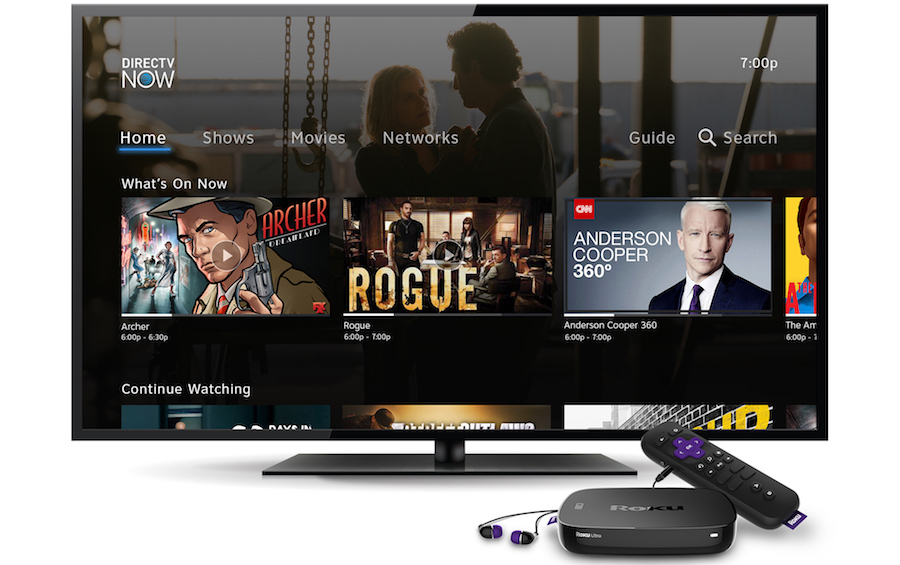
DirecTV Now will work exclusively on Chrome, dropping Safari & Internet Explorer in July

Now, without any official notice as of this writing, customers visiting the site on Safari and Internet Explorer are being told to download Google Chrome as other browsers will no longer be supported after June.

Excel tutorial: How to import and parse complicated data

You've imported data into Excel and it's a mess! Here's how to fix it.

The Best Keyboards of 2017

Whether you're working or playing, your keyboard is an integral part of your desktop setup. Our buying advice and top-rated reviews will help you find a keyboard you'll love.

The big picture - Google Photos

Google Photos just hit 500 million monthly users — now it plans to make your camera roll obsolete.

How to get the classic Windows Solitaire game on Windows 10

Do you miss the classic Solitaire game that used to ship with Windows? In this guide, we show you how to bring Windows XP's Solitaire back to Windows 10.


Mobile Computing

Microsoft adds ability to add, edit contacts in Outlook on iOS

Microsoft finally is adding the ability to add and edit contacts from its Outlook on iOS application. Android Outlook users will get the same functionality 'soon.'

15 Cool Smartphone Camera Tricks You Should Know

Some are helpful, some are neat, and some are just plain insane.

Why some iMessage texts are blue and some are green

Short answer: Blue ones have been sent or received using Apple's iMessage technology, while green ones are "traditional" text messages exchanged via Short Messaging Service, or SMS.

Want Fast Charging? Don’t Use Your Car’s USB Ports

Unfortunately, the built-in ports in your car are pretty anemic when it comes to amperage.

Best Free Android Apps - Updated 2017

This list of Best Free Android Apps now includes 239 apps in multiple categories.

Tuesday, June 06, 2017

The Important New Stuff From Apple’s Big Show

Image result for photos from WWDC 2017

Monday was Apple’s first public performance in almost 8 months. The occasion was WWDC (World Wide Developer’s Conference) held in San Jose. This is an annual event where developers from all over the world arrive to see what is happening at Apple and how they can develop new products for the company’s ever-changing line-up of products. It lasts almost the entire week, but the highlight for us non-developers is the lead-off keynote address.

And Apple did not disappoint. 2.5 hours from beginning to end, Apple introduced us all to the future features in all its operating systems including MacOS, IOS for iPhones and iPads, WatchOS, and TVOS. They also introduced a new edition to the iPad line, a new powerful Mac Pro, upgrades to MacBooks, and a brand new product for the home. I am leaving out a lot here, but the stories below should give you a good overview.

Sadly, the only product we can get our hands on today is the new 10.5” iPad Pro. The rest are off in the future…sometime in the fall for the OS updates and other products in December. This is quite normal. They gave developers new versions of the OSes that are coming in the fall so they can get a head start on developing new products or upgrading existing ones.

There were a lot of changes announced for all the operating systems, but I won’t talk about them here as they are so far off in the future. We will cover them more in-depth when they are released. However you can get more details below in the tech news section as it is entirely devoted to Apple.

Our first story is a 19 minute video that condenses 2.5 hours of products into a much more acceptable time. The second story breaks down all the big announcements in a little more detail. The last three stories highlight the three most important product announcements (in my humble opinion). 

The HomePod is the only really new product announced this day. It is something very similar to Amazon’s Echo and Google Home. However this one is focused on music and contains several high quality speakers to give your room the sound quality it deserves. It won’t be out until December, but reporters who heard a demo of it say that it sounds very good.

So that is what happened in San Jose on Monday. The stories below should wet your appetite for more Apple info, if you are so inclined. If not, well there are also some great tips and tricks below for your current products, so have at it! -JRC


Tech News and Opinions

Watch Apple’s two-hour WWDC 2017 keynote in 19 minutes

If you missed it, here’s a supercut of the entire two-hour keynote edited down to a snack-sized 19 minutes featuring iOS 11, iMacs, HomePod, and more.

All of Apple's big announcements from WWDC 2017!

Apple made a lot of announcements at WWDC 2017, including the latest versions of iOS, macOS, and watchOS. There were also new Macs and iPads for those looking for new hardware. Here are the top announcements from the keynote

Apple refreshes larger iPad Pro with 10.5-inch display

The company revealed a new addition to its professional-focused iPad Pro lineup.

Apple’s new HomePod smart speaker brings Siri home

The Siri-powered, music-focused device, priced at $349 and available in December, joins an increasingly crowded list of smart speakers.

iOS 11: What it does for your iPhone and when it’ll launch

The biggest changes come to Siri, Apple's voice assistant; interfaces like the lock screen, App Store and Control Center; and AR software that's going to mesh the virtual world onto your own.


Desktop and Laptop Tips and Tricks

How to unsend Gmail messages with the Undo Send feature

Undo Send, one of the most popular creations to ever come out of the Gmail Labs, was finally made a stock Gmail feature a couple of years ago. Here’s how to make sure it protects you from yourself.

Chrome 59 is out: Bug fixes, native macOS notifications, Windows 10 Action Center support in the works

Google has integrated Chrome notifications with the macOS Notification Center and is working on adding support for Windows 10's Action Center.

Make your Windows desktop move with Wallpaper Engine

Live wallpapers aren't a new invention, but they're not exactly common on Windows 10. But, there's always someone out there that can make these things happen, as is the case with Wallpaper Engine.

Computex 2017: what you missed from the year's biggest computing show

It’s arguably the most important show of the year for the desktop, laptop and components you’ll want to buy in the future. With lots of pictures

7 Excel tips for huge spreadsheets: Split Screen, Freeze Panes, Format Painter and more

The bigger and uglier your spreadsheet is, the more you need to keep a handle on the data.


Mobile Computing

Apple stops showing 32-bit iOS apps in your search results

It's a not-so-subtle hint that developers should move to 64-bit code.

How to use iPhone widgets — swipe right

They're called "widgets," and they're actually one of the most useful features on the iPhone if you take the time to learn how to customize them and add your own.

Microsoft Announces the New Skype

Microsoft announced a major new version of its Skype app for consumers. The app is available worldwide today on Android and iOS, but it will ship on Windows and Mac soon

10 best facts apps for Android

There are those people who like to pop open an app every now and then and learn a few little fun facts. Here are the best facts apps for Android!

How to Make Cortana Your Default Assistant on Android

Android phones and tablets launch the Google Assistant when you long-press the Home button. But you can make this shortcut launch Cortana if you prefer Microsoft’s assistant instead.

Google Has Allegedly Killed Its Andromeda Project

A long-rumored Google project that would combine Android and Chrome OS into a single platform has allegedly been scrapped. What does this mean for the future?

Thursday, June 01, 2017

At Last! DirecTV Now Shows Up on Roku

It took way longer than expected, but Roku finally notified its customers they could get DirecTV Now on most, but not all of their Roku devices. That distinction is important. Older versions of Roku devices cannot get it yet, but Roku assures its customers they are working to get it available for everyone.

I have a Roku 3 device in the living room, and an older Roku stick for my seldom used TV in the bedroom. The stick cannot get DirecTV at the present time. Our first article below will tell you which devices can get it. If you are about to buy a Roku device or want to signup for DirecTV Now, be sure and check that list first.

How about the quality? Well I have only had it two days. On Tuesday, I watched part of a baseball game along with samples of different channels. They all worked just fine…high quality pictures and no frozen screens. But last night was the big test. I watched 3.5 hour of Stanley Cup hockey and the picture was outstanding with absolutely no video or sound glitches. It was perfect! FYI: I was watching it on a 49” screen.

I mentioned here before that I bought an Amazon Fire Stick to watch DirecTV Now, back in January. The picture was excellent, but not perfect. I would get 2-3 frozen screens during a hockey game or baseball game. Sometimes I would get jitters in a pictures, easily fixed by pausing and immediately restarting. After last night’s viewing, I began to wonder if the problem lies in the lesser expensive sticks…not having enough horsepower to work perfectly. I don’t know if that is true or not, but you might keep it in mind before buying any device designed for TV programs over the Internet.

I hope my experiences are of some help. Have a great weekend! -JRC

Tech News and Opinions

An early release of DIRECTV NOW available on select Roku devices

AT&T’s video streaming service, DIRECTV NOW, which offers live sports, on demand, premium channels, popular shows, and hit movies – is now available on select devices...but not all.


Opinion: Microsoft is making the Mac look old and stale

Apple has been neglecting its desktops and laptops for mobile, while Microsoft has been busy reinventing the PC.


Five years of Apple blunders, mistakes and missed opportunities

Don't let Apple's massive cash pile and huge revenues lead you to think that the company hasn't made some huge blunders and mistakes.


North Korea reinvents the 'iPad'

While North Korea hasn't exactly been respectful of intellectual property and trademarks in the past, this blatant violation sets a new bar for the military dictatorship.


How Microsoft Path Guide has the Potential to Define the Future of Indoor Navigation

With today's mapping apps you can navigate to a museum in an unknown city but you may be seemingly lost once you enter the same. Microsoft Path Guide is the latest app from the Redmond giant that aims to address the issue of indoor navigation.


Desktop and Laptop Tips and Tricks

How to Protect Your Privacy in Windows 10

The Creators Update offers a few enhancements to your privacy settings.


External drive died? Your data may still be easy to recover

The following is for external drives that are out of warranty and/or without a recovery contract. If you need the data, you might want to try these tricks.


How to save Windows Spotlight images to your PC in a few clicks

The Windows 10 app SpotBright lets you save Windows Spotlight images to your PC. Note: I’ve been using this app for months and it is excellent! Fantastic photos.


Google's improved search seeks to make us all art experts

The search giant has improved its engine so art-related searches are more informative than ever.


How to Disable the New Transparency Effects in Windows 10

If you don’t like this effect, you can flip a switch to disable transparency in all parts of Windows 10, from the taskbar and Start menu to apps like Calculator and People.


Mobile Computing

How to Sync Notifications Between Windows 10 and Your Phone

Appointments and notifications you set up in Windows 10 can also pop up on your smartphone


How to Customize Your iPhone Dock

Did you know that you can customize your dock? You can place your favorite apps in the dock for easy access anytime.


iPhone and iOS app organization made easy with this hack

If you have lots of pages of apps on your iPhone, it can be a pain to move them around. But we have an easy solution.


6 ways to make the most of Android's Clock app

Who needs an alarm clock when you've got your Android phone handy?


How to Find and Use Android Instant Apps

Instant Apps allow users to check out most of the features of an app without actually installing it by using deep links and running in a modular environmen


Use external storage to expand unexpandable Android phones

If your phone lacks a microSD slot, you can still add extra storage. Here's how.

Tuesday, May 30, 2017

Lightweight News Today, But Some Great Tips!

intelcorei9.jpg


Tech News and Opinions

Intel unveils monster 18-core Core i9: 'First teraflop-speed' consumer PC chip

As well as the Core i9, Intel has lifted the lid on the whole new Core X-series of high-performance CPUs.

Amazon starts offering refunds for unauthorized in-app purchases

Parents of kids who made unauthorized purchases within app hosted by Amazon will start seeing refunds.

The Biggest Software Flops of All Time

Software is a funny thing. It weighs nothing, but takes dozens or even hundreds of people to make. And sometimes it just doesn't work out. A fun look back at failed software.

Microsoft: USB-C isn't ready for Surface customers

'It’s not that it’s not great. It’s not that people don’t use it, but it’s not ready for these products yet. It’s not ready for our customers.'

Yes, Blockchain could reverse the course of civilization and upend the world's most powerful companies

Businesses often win by centralizing resources and extracting value, and today's governments and financial systems empower them to do it. Blockchain changes the equation.


Desktop and Laptop Tips and Tricks

How to Free Disk Space Automatically with Windows 10 Storage Sense

"As laptops get smaller, storage space gets more valuable. For most Windows users, the amount of storage wasted on temp files and the Recycle Bin would free up a fair bit of space on our hard drive if only we could we could remember to get rid of it.

How to use Microsoft's Sway presentation program to tell a better story

Do you have a story to tell? Microsoft Sway is a versatile presentation program. Let Sway bring your story to life through beautiful, visual storytelling.

Microsoft Word Editor - your writing assistant

Editor checks your document or email message for spelling and grammar errors, and makes suggestions for writing style. Suggestions are based on the context of your writing, using machine learning and natural language processing.

iPad Pro vs MacBook: Which to buy and why

Weighing getting a svelte MacBook against an iPad Pro? I just went through the decision tree myself. Here's what I learned - and bough

Uncovering Templates, the Hidden Gem of Evernote

Templates are real timesavers, but how do you use them, and where can you find them? Now, everything you’ve ever wanted to know about templates in Evernote is all in one place,


Mobile Computing

'Judy' Malware Potentially Hits Up to 36.5M Android Users

It's 'possibly the largest malware campaign found on Google Play,' according to Check Point

8 paid iPhone apps on sale for free right now

These are paid iPhone and iPad apps that have been made available for free for a limited time by their developers. There is no way to tell how long they will be free.

Best iOS keyboards for your iPhone: RANKED

I focused on keyboards that are explicitly designed for typing and tried to weed out options with poor user reviews

26 Google Maps Tricks You Need to Try

The mapping product that can do everything can actually do a whole lot more.

Updates to Google Photos ensure you’ll actually see those party photos you’re in

Forgot to share photos of your party with friends? Google Photos will help.

Pimp your smartphone with the latest Android O Pixel launcher

If your device is running Android 6.0.1 Marshmallow or above, you can now get it to work with the latest Google O Pixel launcher.