Thursday, October 25, 2018

Apple CEO Calls For Federal Laws To Protect Privacy

Related image

Tech News and Opinions

Apple's Tim Cook: Our personal data is 'weaponized against us' by you-know-who

Apple's Tim Cook calls on the US to introduce equivalent laws to Europe's GDPR privacy regulations.

100 Websites That Shaped the Internet as We Know It

The World Wide Web is officially old enough for us judge what it’s produced. That’s right, it’s time for the world to start building a canon of the most significant websites of all time.

TikTok, the Chinese app taking the social media world by storm

In the space of just two years, the app has amassed more than half a billion users — around 40% of them outside China — who share short videos of themselves lip-syncing, cooking, dancing or just being silly.

Do Apple products warrant their premium price in 2018?

Are Apple products a premium experience, or is it all about the Apple brand?

Hackers, trolls and the fight over your vote in the 2018 midterm elections

What’s old is new again as Election Day draws near. Here’s what you need to know.

Facebook's Portal video device launches amid privacy concerns

Will people trust the social network's new consumer device after all those data security problems?

Apple and Samsung fined for deliberately slowing down phones

Italian investigation found software updates ‘significantly reduced performance’, hastening new purchases


Desktop and Laptop Tips and Tricks

Google is making it easier to wipe out your search history

More privacy controls coming to Maps and other services in 2019

How to Back Up All of the Photos From All of Your Apps

Even if you’ve got new photos and videos taken with the camera synced to the cloud though, what about the pictures your family sends?

Google Photos app launches new editing features and Live Albums

The latest update makes sharing, editing, and organizing photos easier.

OneNote picking up cloud attachments, tag search, and more this month

Microsoft revealed a slew of new features coming to OneNote on Windows 10, Mac, and on the web over the next few weeks.

How to reset Windows 10, 8, and 7 password if you forgot it

Losing your Windows password can be a nightmare. Not only are you completely locked out of your system, but all of your data is still in there.

How to take a Windows 10 screenshot: The 7 best techniques

No matter the situation, Windows 10 have you covered with several easy ways to capture and save screenshots using keyboard shortcuts, and hardware keys,

Windows 10 Timeline: How to use Microsoft's new organizational tool

Windows 10’s Timeline feature helps answer the question: what was I working on? This handy, optional feature can track what documents and Web pages you’ve been working on over the past weeks and months, organizing them into a collection of documents you can quickly open to pick up where you left off.


Mobile Computing – iOS

Google Maps releases real-time location sharing for iPhone

Google released its "share your real-time location" feature for the Google Maps iOS app on Thursday. It lets you send ETAs to friends and family based on satellite data — not empty promises.

Microsoft launches Spend iOS app that automatically tracks and matches expenses

Spend is designed to make expense and receipt tracking easier than ever.

Best Stands for iPad Pro (10.5 and 12.9)

These are some of our all-time favorite iPad Pro stands for drawing and writing work at a desk. Take a gander and see if any of them fit your fancy.

How to Use Screen Time to Set Content Restrictions on Your iPhone & iPad

Apple makes it even easier to set content restrictions on your personal devices

How to download and read ebooks with Apple Books on iPhone and iPad

Read any good books lately? It's easy on your iPad or iPhone.

Siri shortcuts roll out to Microsoft Edge for iOS

Now you can use Siri to open Edge right from your lock screen.

How to get a refund for iTunes or App Store purchases

How you get a refund for iTunes or App Store purchases and in-app purchases isn't obvious, but it is possible!


Mobil Computing – Android

Meet the new Microsoft Phone, powered by Android (No Windows required)

Over the past few years, Microsoft has embraced the Android operating system with surprising enthusiasm. With a large collection of apps for business available in the Google Play Store, you now have everything you need to turn an Android device into a Microsoft phone.

Microsoft’s Android launcher now lets you track your kid’s location and app usage

The new family tracking feature lets Microsoft Launcher users track the last known location of their family members. The launcher also includes an activity report of what apps are being used on a device and for how long.

Google News app bug burns through gigabytes of user mobile data

Users are reporting sharp spikes in data usage via the app, sometimes leading to hundreds of dollars in mobile data fees.

Need a wide angle camera? Here are 8 smartphones that fit the bill

We gathered every phone featuring a wide-angle camera worth getting in one place for your convenience. It’s not just LG phones — there are plenty of options if you want go wide.

25 Best Android Tips to Make Your Phone More Useful

Google is always making tweaks and coming up with new features for Android, and OEMs like Samsung and LG can add their own stuff on top of that.

10 new Android apps worth checking out

New apps need lovin’ too, right? Every day there are thousands of additions to the Google Play store, but many go unnoticed and never receive the attention they deserve. These do.

Thursday, October 18, 2018

Big Changes for this Blog…Beginning Now!

As the headline says, some adjustments are being made to this blog/newsletter/journal. I hope they will benefit you…and they begin with this edition.

First, the size is being expanded…meaning adding more stories in each section wherever possible. At various times during the year, the decent stories are in short supply. Other times, they are plentiful. So, I will not limit the size of each section to a specific number of stories…rather the size will be flexible so you get the information that is relevant to you, no matter how many or how few the number of stories.

Second, the Mobile Computing section will be split into two parts: One covering iOS, the other covering Android. That way, users of one system can skip over the stories that are not relevant to their device. Mobile computing has become the most exciting and most used computing platform of this time, so it deserves better coverage. 

While on vacation last month, you may recall I only published this blog once a week. Well, to be honest, I liked it and it allowed me more time to do other things. So starting with this edition, I will only publish Rants and Raves once a week. But, I think expanding the size of the blog more than offsets the change in the number of publications.

I love doing this blog and have been publishing a newsletter like this for over 20 years now. It started out as a written-on-paper publication and, over time,evolved into what you see today. It has always been a pleasure write it. But, in a couple of weeks, I will turn 73, so it is probably time I slow down a bit and quit putting pressure on myself to get a blog out twice a week.

As I make changes like this one, maybe it is time I restate what this blog is all about. I have always focused on making computing better for the average person…the non-techie who just wants their device to work for them with as little technical knowledge as possible. My goal is to give you enough new knowledge to make your experience even better.

The tech news I publish is part of that same goal…I look for stories that are relevant and informative for the average computer user. You should know what is happening in the tech world that might or will affect you. The same with the other sections, although they are more related to actually using your computing devices.

So that is everything in a nutshell. I hope you find these changes useful and that they add to your computing world. Thanks for being a reader. –JRC

Tech News and Opinions

Apple sets next event for Oct. 30

We'll likely see new tablets and computers from Apple that include some features already found in iPhones.

Stanford University study claims 99.7 percent of human-filed comments opposed FCC's net neutrality rollback

It seems FCC's decision wasn't popular after all. The FCC continues to prove it is the enemy of the people and champion of corporate interests.

Up to 9.5 million net neutrality comments were made with stolen identities

The New York attorney general's office is widening an investigation into fraudulent net neutrality comments, saying it estimates that up to 9.5 million comments were submitted using stolen identities.

Why it's hard to believe anything Google says

The reluctant admission of a privacy breach revealed that Google's "trust us" philosophy was as believable as "do no evil."

Apple to US users: Here's how you can now see what personal data we hold on you

Apple customers in the US, Canada, Australia, and New Zealand can now download a copy of all the personal data Apple holds on them that's linked to an Apple ID.

Microsoft co-founder and philanthropist Paul Allen dies at 65

Allen co-founded the future software giant in 1975 with high school classmate Bill Gates.

US voter records from 19 states sold on hacking forum

The voter information for approximately 35 million US citizens is being peddled on a popular hacking forum, two threat intelligence firms have discovered.


Desktop and Laptop Tips and Tricks

How To Reclaim Space On Your Windows 10 Hard Drive After the October Update

Windows updates always leave a lot of temporary files and other space-stealing junk on your PC. This can accumulate over time and eat up many wasted gigabytes, which you may not be able to spare.

How to Stop Annoying Apps from Loading When Windows Boots

You don’t need a bunch of unnecessary apps eating up your system’s resources for no reason. If you have an underpowered PC, you’re only making your situation worse.

Windows 10 October update's new public rollout nears as Microsoft fixes more bugs

The company will rerelease 1809 to the public once it's vetted feedback and diagnostic data from Windows Insiders and confirmed that the problem has been properly dealt with.

10 Writing Tips for Microsoft Word

Microsoft has added some excellent features to help improve your writing and productivity using Microsoft Word.

Here’s how to see if you’re among the 30 million compromised Facebook users

The bad news: Private data was stolen. The good: Fewer accounts were affected.

Chrome 70 now available with option to disable controversial login

The update sees Google reverse some of the controversial changes it made with the last version. The good news is that Progressive Web App support has been added to the Windows Version.

Vivaldi's massive update brings tab management and a refreshed UI to its privacy-focused browser

Vivaldi browser has launched its first major upgrade since its initial release in 2016. The company claims that Vivaldi 2.0 has more than 1,500 improvements over the first version.

Don’t Click “Check for Updates” Unless You Want Unstable Windows 10 Updates

As Microsoft revealed, only people who clicked “Check for Updates” got bitten by Windows 10’s file deletion bug. When you click the “Check for Updates” button, Microsoft gives you updates early, skipping a normal part of the testing process.


Mobile Computing – IOS

Opera Touch for iOS is great for people with small hands and big phones

Opera has announced the general availability of its newest mobile browser, Opera Touch for iOS. Its killer feature is the ability to surf the Internet on Apple’s latest big-screen phones.

Apple iOS 12.0.1 Continues iMessage's Embarrassing Problem

iOS 12.0.1 is here and it brings some crucial fixes. But, following a flurry of user complaints, we know now it also contains several new bugs

The easiest way to share iPhone photos and videos

iOS 12 has introduced a slew of new features and hidden gems. And one seemingly small addition to the Photos app can make a huge change to the way you share photos and videos.

Canon Launches New Digital Photo Express for iOS Devices

The best price of all is free and Canon’s new Digital Photo Express for Apple’s iOS devices, including smartphones and tablets, is not only the right combination of price and features but also gives Canon users some powerful on-the-go functionalities.

How to Sync Photos to iPhone

If you have a photo library stored elsewhere, or someone shares photos with you, there are a number of ways to sync those photos to your iPhone.

Best Camera Apps For iPhone: 14 Of The Best Camera Apps Compared

Are you still using your iPhone’s native camera app? If so, you could be missing out. In this article we’ll compare fourteen of the best camera apps for iPhone for you. Each offers something more than the native camera app, improved features or a more intuitive interface.


Mobile Computing – Android

Best apps for securing Android and managing privacy settings

Our picks for the best and safest VPNs, browsers, password managers, chat apps, and antivirus apps for Android are an easy way to help you stay private while online.

Nova Launcher 6.0 beta 5 can launch Google Assistant directly from the search widget

Nova Launcher 6.0 beta 5 just launched yesterday, and while not a major update, it does include a couple of notable features

Google News Gets a Dark Mode in Its Latest Android Update

Say goodbye to blinding yourself with the news every morning, as a Google News update is rolling out that introduces a dark mode to the service.

Gmail for Android now lets you customize swipe actions

Google’s been delivering a bunch of overdue updates to Gmail over the past few weeks, and one more arrived in the latest update on Android: the ability to customize what happens when you swipe an email to the left or right.

The Pixel Slate: first look at Google’s new tablet

Chrome OS replaces Android as Google’s tablet OS

Pixel 3 review: Google pairs an amazing camera with serious AI smarts

The Pixel 3's camera already makes it a standout -- but useful Google software elevates the phone even more.

See How Many Dollars You’ve Spent On Android Apps with This Free Tool

Most apps are cheap—a buck here, couple bucks there. But on a long enough timeline, that little bit can add up to some serious dollars. A new app called Purchased Apps for Android can show you just how much.

Thursday, October 11, 2018

Microsoft Halts Autumn Update…Google Kills Google+

Image result for Google+ death images

Tech News and Opinions

Microsoft pulls Windows 10 October 2018 Update due to major issues

A major bug has hit some Windows 10 users. Update: The problem is now fixed, according to MS. It is now being tested by Windows Insiders. No word on when it will be made public.

Microsoft needs to refocus on Windows 10 fundamentals, not just new features

Opinion: Microsoft needs to step off the new feature train, at least temporarily, and get Windows 10's reliability and fundamentals back on track.

Google shutting down Google+ after exposing data of up to 500,000 users

Google said it found no evidence of data misuse. Still, as part of the response to the incident, Google plans to shut down the social network permanently.

Broadband industry groups sue California over net neutrality bill

Four lobbying groups representing some of the largest telecom companies in the country filed a lawsuit Wednesday opposing California’s net neutrality law in an attempt to stop it from going into effect next year.

Pixel 3, Google Home Hub and Pixel Slate: Everything Google just announced

The company debuted its phones for 2018, a camera-free home control center and a new detachable Chrome OS tablet.


Desktop and Laptop Tips and Tricks

How to Use Microsoft Word’s Built-In Screenshot Tool

Taking screenshots is pretty easy; it’s a feature built into most operating systems. If you’re already working on a Word document, though, and want to add a screenshot to it, you can save yourself a few clicks by using Word’s built-in screenshot tool

What's new with Notepad in the Windows 10 October 2018 Update

In this Windows 10 guide, we highlight the most worthy improvements shipping with the Notepad app for the October 2018 Update.

How to disable video autoplay on Microsoft Edge

Microsoft Edge now includes an option to stop websites from playing media automatically. In this guide, we show you how to use it.

Set Up Your Financial Accounts Like You're Going to Be Hacked

It’s important to be on the defensive when it comes to your financial security, and set up your accounts as if you’re going to be hacked.

Best free email alternatives to Microsoft Outlook for Windows

These free alternatives to MS Outlook for Windows are worth messaging home about.


Mobile Computing

5 devices to help you stay entertained and fight boredom on trips

You won't regret bringing any of these 5 entertainment solutions with you the next time you travel.

Mirror your Android phone apps on Windows

The Android app mirroring feature will be available as a part of the Your Phone app for Windows 10. The app will be out with the Windows 10 October 2018 Update.

Google Assistant now helps you compare ride-hailing prices and summon an Uber or Lyft

But you still need your phone to complete the request

How to protect your Facebook privacy by removing unwanted apps

Apps can slurp up your profile data on Facebook. Here's how to review the ones you've installed and get rid of those you don't need.

New for iOS 12: How to Use a Filter on a FaceTime Call

There are lots of filters to choose from, so you'll always find something to fit your mood: a cartoon filter, a few black and white choices, and much more. Let's get started learning how to use FaceTime filters on iPhone or iPad.

How to download and install iOS 12.0.1 on your iPhone or iPad

Apple has released iOS 12, The next big OS for iPhone and iPad. Update now!

Thursday, October 04, 2018

Windows 10 October 2018 Update Available Now!

Related image

Tech News and Opinions

The Trump administration is suing California to quash its new net neutrality law

The Trump administration said Sunday it will sue California in an effort to block what some experts have described as the toughest net neutrality law ever enacted in the United States, setting up a high-stakes legal showdown over the future of the Internet.

Why feds can’t block California’s net neutrality bill

Experts say the new lawsuit rests on shaky legal ground

50 million Facebook accounts were compromised. Was yours?

The social networking giant on Friday said "almost 50 million accounts" were compromised, a discovery its engineers made on Tuesday. Here's what you need to know.

Everything Microsoft announced at its October 2 Surface event

The Surface lineup got a new color and a whole lot more power today. Here's a look at everything Microsoft announced.

Arrest Warrants Issued for 17 People in $1M California Apple Store Theft Ring - Mac Rumors

The individuals involved robbed Apple retail stores in 19 different counties, including several in the Bay Area, where Apple's headquarters are located. More than $1 million worth of Apple goods were stolen.


Desktop and Laptop Tips and Tricks

Windows 10 October 2018 Update is available today

Windows 10 October 2018 Update will be available to all Windows 10 users today, and to update you’ll simply have to check for the new updates on Windows Update. Otherwise, Microsoft will start pushing this to existing machines next week with its monthly Patch Tuesday.

Windows 10 October 2018 update: everything you need to know

Latest Microsoft update comes with new emoji, smart keyboards, cloud-powered clipboards and faster, more considerate updates

Mozilla launches Firefox Monitor, its ‘Have I Been Pwned’ clone

Mozilla today announced the launch of Firefox Monitor. This free service, which Mozilla has been testing since this summer, informs individuals when their details have been part of a data breach.

4 ways to protect your home from Wi-Fi theft

If your network is slow or acting weird, it's possible someone is stealing your signal (and maybe more).

5 settings to change on your new router

Here are five basic settings to look at when configuring a Wi-Fi network router.


Mobile Computing

62 apps that work with Siri Shortcuts

Since there are so many Siri Suggestions available, we're creating an updating list of the best apps you can download to take advantage of Siri Shortcuts.

How to manage notifications in iOS 12

Curb your notifications in Apple's iOS 12 to ensure you only receive the notifications that matter. Learn how to customize notification settings in iOS 12.

9 Shortcuts for iOS 12 you should be using

It's time to make your iPhone work for you.

The best email app for iOS and Android

Whether on iOS or Android, a good email app has to make loading emails, refreshing your inbox, replying, archiving, deleting, unsubscribing, and more as quick and as seamless as possible.

The best Android smartphones you can buy right now (Fall 2018)

With all the choices available, trying to find the best smartphone an be like looking for a needle in a haystack. Here is a short list of the best Android phones you can buy, from low-end budget devices to expensive flagships.

Google Assistant: Everything you need to know

There's a lot going on with the Google Assistant — let's break down the important stuff.

Wednesday, September 26, 2018

Office 2019 for MAC and Windows Has Arrived

clip_image002

Tech News and Opinions

Office 2019 launches for Windows and Mac

Office 2019 will roll out to all consumer and commercial customers over the next several weeks.

New Echo devices and more: Everything Amazon announced

Wall clock? Microwave? Amazon expands its line of Alexa-enabled devices while refreshing its smart speaker lineup.

Microsoft: Here's why we're declaring end of password era

Users will soon be able to sign in to business apps with their face, fingerprint or PIN rather than use a password.

iPhone XS, XS Max launch, drawing smaller crowds but plenty of fans

Stores around the world open their doors to those seeking the new iPhone XS, iPhone XS Max and Apple Watch Series 4.

NYT sues FCC, says it hid evidence of Russia meddling in net neutrality repeal

FCC broke law by hiding net neutrality comment records, lawsuit alleges

Desktop and Laptop Tips and Tricks

Microsoft warns Windows 10 users to free up storage space for the big October update

Microsoft is also warning users that Windows Update literally does not verify that enough space is available before commencing. So if the device runs out of space while updating to the next version of Windows 10, the installation simply fails

How to back up your desktop, documents, and pictures with Microsoft OneDrive

In Microsoft OneDrive, you can back up and protect three important folders from their default locations. Learn how by following this step-by-step guide.

20 pro tips to make Windows 10 work the way you want

The default configuration of Microsoft Windows 10 is adequate for most situations, but for many of us there is always some tweaking that can, and should, be done.

How to erase specific autosuggested URLs from Chrome, Firefox, and IE

If you’ve ever spent a boring night surfing around the web chances are your browser’s autosuggest function tosses up many unwanted ghosts.

How to Draw and Manipulate Arrows in Microsoft Word

Whether you need to point to an image for emphasis or demonstrate where to click for interactivity, there is a wide range of arrow shapes that you can create and customize in Microsoft Word. Let’s take a look at how they work.

Mobile Computing
These are all the ways you can save data and monitor your data usage

ost people don't need an unlimited data plan. With contract data plans offering up to 10GB per month and off-contract plans from carriers both big and small, there is a data plan that works for almost everyone and chances are using one will save you money.

Google Calendar v6.0 update brings the Material Theme UI

oogle Calendar is the go-to calendar solution for most Android users, and the next time you open the app, you'll likely notice that things look a bit more — Googely.

Android phones: Dialing 911 now automatically shares your location

Android phones now help emergency services find mobile callers faster and with more accuracy.

Speed test shows how much faster your old iPhone will be after the iOS 12 update

Old iPhones users may wonder whether they should upgrade their phones or wait. The answer is definitely yes. iOS 12 is a lot better than iOS 11, and the following speed test proves it.

iOS 12: What's new in the Photos app

We all take a lot of photos, but are horrible at actually sharing them.

Spotify vs. Google Play Music: Which should you subscribe to?

Music subscriptions can help set the tone for your life: they can help keep your energy up and your fingers tapping out a rhythm. Here is a deep look at Google Play Music and Spotify to help you figure out which service is more deserving of your money and music.

Wednesday, September 19, 2018

Special Edition: The New iOS 12–In Depth

Image result for ios 12 images

iOS 12

iOS 12 is now available: How to update, best new features and more

If your iPhone, iPad or iPod Touch runs iOS 11, it will run iOS 12. That means all iPhones starting from the iPhone 5S ($230 at Amazon.com) onward. That's the short answer, but we also have a more detailed answer

iOS 12 review: the fixes are in

This year’s update puts the emphasis first on working better, instead of just looking better.

iOS Shortcuts User Guide

The Cupertino firm published an iOS 12 Shortcuts User Guide to help users get used to the app and its capabilities.

Five security settings in iOS 12 you should change right now

Here’s what you need to do to take advantage of the new settings and lock down your device.

The best third-party Siri shortcuts you can try right now

Perhaps the best new feature in iOS 12: The idea behind shortcuts is to automate multi-step tasks. While Apple offers a variety of premade shortcuts, third-party app makers are also offering their own

Tech News and Opinions

FCC chairman says California’s net neutrality bill is ‘egregious’ and ‘illegal’

The bill, which was passed last month, enacts even stricter net neutrality rules than those the FCC recently overturned. But it goes up against at least one major blockade: a commission rule banning state net neutrality laws.

How Trump’s tariffs will hurt US tech companies

On Monday, the US Trade Representative (USTR) finalized a new round of tariffs on $200 billion in Chinese imports, and the impact on tech companies will be severe.

New Update for Adobe Creative Cloud Will Exclude Older Operating Systems

he tech giant is discontinuing a number of older OS and Windows features in its next major update, essentially forcing users to update their operating systems in order to continue using the software.

Leonardo da Vinci's Earliest Notebooks Now Digitized and Made Free Online: Explore His Ingenious Drawings, Diagrams, Mirror Writing & More

This collection includes some of Leonardo’s earliest notebooks. Codex Forster I, now online, contains the earliest notebook the V&A holds, dating from about 1487, and the latest, from 1505.

Firefox to block some technology that tracks you on the web

Expect better performance and more privacy -- and displeasure from online ad companies.

Desktop and Laptop Tips and Tricks

How to create an image backup in Windows 10 and restore it, if need be

Safeguard everything on your hard drive with this guide

Windows 10 how-to: Ed Bott's free tech support and troubleshooting guide

A curated list of the best sites for support information about Windows 10.

Windows 10 October 2018 Update: The 7 best new features

See the biggest changes coming to Windows 10 next month.

After Windows 10 upgrade, do these seven things immediately

You've just upgraded to the most recent version of Windows 10. Before you get back to work, use this checklist to ensure that your privacy and security settings are correct and that you've cut annoyances to a bare minimum.

How to Remap Your Keyboard

If you're looking to change key functions on your computer's keyboard in Windows, we have three different methods that can help you.

Mobile Computing

How to Make Android as Secure as Possible

Mobile security is a big deal, probably now more than ever. Most of us live on our phones, with financial information, calendar appointments, family photos, and more stored on our devices. Here’s how to keep your Android phone secure.

Top 5 ways to block spam calls

Those annoying spam calls are on the rise, but here are five excellent solutions.

Apple Music vs. Spotify: Which music service is best for you?

Here’s how to choose between the two big names in music streaming.

The 12 Best Note-Taking Apps for iPad and iPad Pro (2018)

Scribes, you have options. Capture your ideas with these iPad note-taking apps

The 5 best weather apps with the most accurate forecast

The best weather apps can help with everything from forecasts and weather alerts to traffic and health-related updates.

Thursday, September 13, 2018

Apple’s Big Day: New iPhones and Watches

iphone-xs-pricing.jpg
Tech News and Opinions
Apple announces iPhone XS, iPhone XS Max, iPhone XR: price, release date

Apple unveiled its newest iPhones Wednesday: the iPhone XR, starting at $749; iPhone XS, starting at $999, and iPhone XS Max, starting at $1,099.

iPhone XR, XS, XS Max: Apple's three new iPhones start at $749, $999, $1,099

Apple's high-end iPhones have dual 12-megapixel cameras, OLED displays and faster A12 Bionic chips. A cheaper, colorful version comes with an LCD screen.

Apple Watch Series 4 starts at $399, packs larger displays and EKG sensor

The new smartwatch is set to bring a series of new features to your wrist and a 30 percent larger screen.

iOS 12 is coming Sept. 17

The next generation of Apple's mobile operating system arrives next week. Here are all the release dates of their new products.

Microsoft's October 2 Fall Event: What to expect

Microsoft's Oct. 2 event in New York City is expected to feature more than just a couple refreshed Surface devices. Windows, Office, Cortana, and other software and services will likely get cameos, too

Desktop and Laptop Tips and Tricks

Here’s What’s New in Google Chrome 69

Chrome 69, which marks the browser’s 10-year anniversary, is a huge release. The slick new theme is the most visible change, but there are more new features.

Best Chrome Extensions: 50 Google Chrome Extensions That Make Life Easier

There is a veritable smorgasbord of software that can totally enhance your browsing experience. We’ve hand-picked 50 of what we think are some of the best Chrome extensions out there.

How to make your own fonts within Windows 10 with Microsoft Font Maker

You can make your own font within Windows 10 in just a few minutes, using the free Microsoft Font Maker app within the Microsoft Store.

Should you upgrade to Windows 10 October 2018 Update?

I recommend you install it. Not for the new features necessarily, although some look promising., No, you should update because it will keep you and your PC more secure.

Best laptops of 2018: Cheap PCs, gaming laptops, 2-in-1s, and more

Our top picks feature the best tech advances in portable PCs, from new CPUs and GPUs to new materials.

Mobile Computing

Essential iOS Apps for 2018

Trying to find the perfect iOS apps can be tough, and we’re willing to bet that your iPhone or iPad is full of pages and pages of apps. There’s just so much out there, Allow us to help you with our freshly updated Lifehacker Pack for iOS.

The ultimate guide to finding and killing spyware and stalkerware on your smartphone

Surveillance isn't just the purview of nation-states and government agencies -- sometimes, it is closer to home.

12 mobile apps to organize and simplify your life

Simplifying your life doesn't have to start with a self-help book. Achieve greater simplicity and happiness with these 12 Android and iPhone apps.

Google Photos Material Design is here, along with a new swipe gesture

Google announced that the Google Photos Android app would get a revamp this year, and now it looks like that revamp is rolling out to everyone.

Here's Why You Don't Need an iOS Antivirus App

Every iOS app is kept inside a sandbox. This means that a malicious app won’t be able to secretly steal data or infect other apps.

Best Cloud Storage Services for Photos

It’s smart to build in redundancies, storing your pictures in more than one place, including in the cloud.

Tuesday, September 04, 2018

Special Backup Edition

Related image

Special Note: I am leaving shortly for a much deserved vacation from the Arizona heat and humidity. But I will continue to publish Rants and Raves, but only once a week instead of twice. Upon return to a hopefully cooler Arizona, I will resume twice-a-week publication. -JRC

Tech News and Opinions

California lawmakers give thumbs-up to 'gold standard' net neutrality bill

The bill offers the strongest protections on net neutrality yet and sends a message to the rest of the country.

Microsoft improves Office 365 device limits for subscribers

Microsoft is increasing the number of devices you can use with Office 365 Personal and Home subscriptions.

No, the desktop PC isn't dead

Reports of the death of the desktop PC may have been exaggerated.

How Big Tech Swallowed Seattle

Two tech titans made billions and remade the city. Is it any better off?

Apple will repair iPhone 8 manufacturing defect that causes freezing

Apple says that a small percentage of iPhone 8 devices might be affected by a "manufacturing defect" that can cause random freezing and other problems.


Desktop and Laptop Tips and Tricks

How to properly back up your computer

Accidents happen, and if they do, you’ll want to make sure that you’re ready. That means routinely backing up your computer.

Fail safe vs. fail secure: What everyone gets wrong about backups

When it comes to encrypting your backups, is data loss or data theft your bigger threat?

Choosing the Right Format for Your External Hard Drive

While browsing the Internet for your external hard drive, you come across weird terms like NTFS, HFS+, FAT32, and exFAT. While your instinct may be to find out if it’s some weird slang acronym defined only on scandalous websites, you may fare better by reading below.

Firefox to Block User Tracking, Data Collection on Websites by Default

Mozilla, maker of Firefox, has good news for users of its web browser concerned about where their data is going. In the near future, the company plans to block user tracking on websites by default.

Best cheap laptops under $300

It's possible to get a great laptop for only a few hundred dollars.


Mobil Computing

How to back up your iPhone, iPad, and iPod touch

If you back up your iPhone, iPad, or iPod touch, you’ll have a copy of your information to use in case your device is ever replaced, lost, or damaged.

How to Back up Your Android Phone to Your PC

While Google will preserve a lot of your data, there are other methods and backup programs that will allow you to save the same data. Read on to find out how to back up your Android phone’s content to your PC.

20 amazing things you didn't know Google photos could do

Get ready to become a next-level Google Photos user when you discover all the amazing things it can do.

12 Best Android Phones of 2018 (New, Unlocked, and Cheap)

Wonder what the absolute best Android phone is right now? We have the answer, and some alternatives, too.

33 Google Maps Tricks You Need to Try

Google Maps is a Swiss Army Knife chock-full of hidden navigation, geospatial search, and customization tools. Here's how to unlock your map app's full potential.

The best note-taking apps to use in 2018

The best note-taking app needs intuitive features and a nice-looking design. Bonus points if it has cloud storage, autosave, offline access, and voice-to-text recognition.

Thursday, August 30, 2018

AT&T & Verizon Lying to CA Seniors to Kill Net Neutrality

Image result for AT&T and Senior Citizens

As we’ve discussed here before,the big communication vendors will go to any lengths in order to destroy Net Neutrality once and for all…including lying to vulnerable Senior Citizens. Here is what Verizon and AT&T are doing in California right now to stop the passage of the strongest Net Neutrality bill in the country:

This is from “fightforthefuture.org”:

California has until midnight tomorrow to pass the strongest net neutrality bill in the country. And Verizon and AT&T are so desperate to kill it that they’re lying to senior citizens.

California seniors are getting automated robocalls falsely claiming that their cell phone bills will skyrocket unless the net neutrality bill (SB822) is defeated. The seniors are then patched through to their legislator to urge them to vote no.

The robocall tells elderly people that if SB 822 passes, their cell phone bill will go up $30—an utter lie.2 SB 822 actually protects consumers from hidden fees and ISP scams that they can’t afford.3

Threatening senior citizens’ financial security to trick them into blocking net neutrality? That’s low, even for AT&T.

We know why Big Cable hates this bill so much. It’s the strongest net neutrality bill in the U.S. and if it passes it will set a gold standard for other states to follow. Plus California is so large, that strong rules there will be a real deterrent to ISPs nationwide.

Tech News and Opinions

Big Telecom Resorts To Lying To Senior Citizens To Scuttle Net Neutrality In California

An AT&T-linked group by the name of Civil Justice Association of California (CJAC) has been robocalling senior citizens in the state, informing them that their cell phone bill will jump $30 if the new rules pass. A complete lie!

Comcast Is Trying To Ban States From Protecting Broadband & TV Consumers

As part of the repeal of Net Neutrality, Comcast, Verizon and AT&T also convinced FCC boss Ajit Pai to effectively neuter FCC authority over ISPs entirely, making it harder for the agency to hold giant ISPs accountable on a wide variety of issues ranging from privacy to transparency.

Report: Yahoo and AOL will scan your emails and sell the data to advertisers

If you’ve got a Yahoo or AOL email address then your correspondence might not be as private as you think, as Oath (the combined Yahoo and AOL business) uses a program that scans accounts, with over 200 million inboxes scanned in total.

Google dismantled Trump's latest attack on the search engine

Google has issued a methodical statement dismantling US President Donald Trump's latest attack on it.

YouTube Music and YouTube Premium launched

YouTube Music is a new music streaming service built on top of all the music on YouTube that you can’t find anywhere else - personalized and all simply organized in one new app and web player.


Desktop and Laptop Tips and Tricks

How To Organize Your Messy Windows Desktop (And Keep It That Way)

"The desktop is a convenient place to store files and program shortcuts, but it can get messy fast. Here’s how to tidy your desktop up so you can quickly find everything you’re looking for—and make sure it stays nice and organized."

How to Find and Replace Text in Microsoft Word

Using Word's Find and Replace feature, you can quickly locate and replace text. Let's see how it works.

Windows 10 version 1809: Act fast to delay this big upgrade

Each time Microsoft rolls out a major upgrade to Windows 10, you have the option to wait a few months before you install it on PCs running Windows 10 Pro or Enterprise. But you have to act quickly.

How to Use a Windows Laptop as a Wireless Monitor (for Another PC)

You’d like a secondary screen to increase your productivity in Windows 10, but you don’t have another monitor handy. If you have a recent Windows laptop or tablet, though, you can use it as a wireless monitor.

If you forgot your Windows admin password, try this

All is not lost. You just have to wiggle the lock on the virtual back door.


Mobile Computing

Microsoft To-Do for Android and iOS updated with tweaks and improvements

Microsoft has pushed out an update for the beta version of Microsoft To-do app for Android and iOS, taking it to version 1.38.

Here's how I back up my family photos and videos using the 3-2-1 method

When it comes to pictures of my family, no amount of money can recreate them if I lose them.

5 of the best package tracking apps for iOS

Looking for an easier way to track your packages from your iPhone? Here are the best apps to get the job done.

What’s the best email app for iPhone?

Like Calendar apps, there are many email apps for iPhone. I’ve tried and used just about all of them over the years. One of the questions people often ask me is: what’s your favorite email app for iPhone?

How to Hide Photos on Your iPhone, iPad, or iPod Touch

If you’re anything like us, you love showing off photos you’ve taken with your phone, but there are times when you’ll want to keep certain pictures away from others, because they’re personal or, well, inappropriate.

10 new Android apps worth checking out

Every day there are thousands of additions to the Google Play store, but many go unnoticed and never receive the attention they deserve. Here are some that do.

Tuesday, August 28, 2018

President Claims Google Deliberately Makes Him Look Bad

See the source image

Tech News and Opinions

Verizon throttling could trigger FTC investigation of deceptive practices

Thirteen Democratic members of Congress on Friday asked the Federal Trade Commission to investigate Verizon's recent throttling of the Santa Clara County Fire Department while it was fighting California's largest-ever wildfire.

Trump takes on Google: US president accuses firm of 'rigging' search results to make him look bad

In an angry outburst on Twitter, the US president claimed the technology company was promoting negative stories to users looking for the latest news on him.

Apple’s September iPhone-release event: all the new gadgets to expect.

A new iPhone, a MacBook Air follow-up, and everything else on its way.

You can opt out of Netflix's new ads. Here's how

To opt out, you will need to access Netflix in a browser on a computer, tablet or phone; you can't opt out of of the ads with the Netflix app.

Microsoft and Amazon start publicly testing Cortana-Alexa integration

Microsoft and Amazon finally are making available to the public their promised Cortana and Alexa integration across Windows 10 PCs and Echo devices in early preview form.


Desktop and Laptop Tips and Tricks

A Gmail-Style Side Panel Is Coming to Google Docs and Google Calendar

Google plans to add a sidebar to Google Calendar, Docs, Sheets, and Slides. Users will be able to create notes, tasks, and calendar appointments while editing documents.

Google Privacy Checkup FAQ: How to limit tracking and still use the apps you love

You can stop Google from tracking you, but you might not like the results.

How to Enable Microsoft's New OneDrive Folder Protection in Windows

Microsoft OneDrive now offers to "protect" the contents of your Desktop, Documents, and Pictures folders. You can use your standard file storage folders, and OneDrive will synchronize them as if they were saved in the regular OneDrive folder.

Best video editing software for Windows 10

While Adobe Premiere Pro is considered by many (including ourselves) to be the best in the business of video editing, it's not for everyone.

Privacy Now: How to lock down and delete threats to your online information

'Privacy now is like security in the days of Windows XP. No one cared about it until everyone cared about it.'


Mobile Computing

The 5 Best Wireless Chargers

Wireless chargers are portable chargers that don't require wires or cables. They're easy to use and set up.

How to Transfer Photos from Any Phone to Your Computer

Quickly move photos off you Android or iOS phone and onto your computer

Google lets you create a sticker version of yourself with selfies

Google is making that process easier on its iOS and Android keyboard extension, Gboard, with the addition of "Minis." The feature will let you convert your selfies into stickers that are based on your likeness.

Google adds iPad support to its video calling FaceTime competitor 'Duo'

Google Duo is Google's direct competitor to FaceTime, and adding support for the iPad only further improves feature parity to Apple's service.

How to use Shake to Undo on the iPhone

While the Mac has Command-Z, the iPhone has its own unique way of fixing mistakes: Shake to Undo

9 Android apps worth using on your Chromebook

So many Android apps, but which ones work with best with Chrome OS? Here are a few to get you started.

Thursday, August 23, 2018

Verizon Strangles Firefighter Data During CA Wildfires

Tech News and Opinions

Verizon throttled fire department’s “unlimited” data during Calif. wildfire

Verizon Wireless' throttling of a fire department that uses its data services has been submitted as evidence in a lawsuit that seeks to reinstate federal net neutrality rules.

Microsoft to pull plug on new apps and app updates for Windows 8 and 8.1

Microsoft has announced a new timeline that may coax more people still running Windows 8 or 8.1 to upgrade to Windows 10.

Amazon Prime: 21 benefits every member gets

A full list of all the stuff that is (and isn't) included with your Prime subscription -- including new deals from Whole Foods.

Windows 10's next big feature release officially named build 1809

Microsoft's latest preview of the next version of Windows 10 confirms it will be labeled version 1809 and should be available to users in the next two months.

Windows 10 updates are about to get smaller and less painful

Starting with the "next major version of Windows 10 and Windows Server", Microsoft will change how it handle monthly quality updates.


Desktop and Laptop Tips and Tricks

Windows 10 alert: All versions get new Intel patches for Spectre, Foreshadow bugs

Microsoft releases Intel's microcode updates, including one to address the recently revealed Foreshadow flaw.

How to Use Gmail Confidential Mode and Add an Expiration Date to Your Emails

If you want to make sure your emails disappear from a recipient’s inbox after a certain period of time for the sake of security the new Gmail confidential mode feature has you covered.

How to Change Startup Programs in Windows

Fortunately, you have control over which Windows startup programs you allow to run. Keep in mind you can always start a program manually if you need it.

Here’s What You Should Use Instead of CCleaner

CCleaner just became worse. The popular system-cleaning tool now always runs in the background, nagging you and reporting anonymous data back to the company’s servers. We don’t recommend you upgrade to CCleaner 5.45. Here’s what you should use instead

5 ways to manage emails and control spam in Outlook

Spam lives on, despite all our efforts to snuff it out—but Outlook has some features to help slow it down. Here are some things anyone can do.


Mobile Computing

Sprint is launching a $25 unlimited plan on August 24

Here we are again, with Sprint announcing that it will launch the Sprint Kickstart unlimited plan on Friday, August 24.

The Best Family Calendar Apps & Scheduling Apps For Busy Families

Stay on top of all your appointments, recitals, and play dates with these excellent options.

How to Photograph Interiors with Your Phone

A short list of easy tips to up your photos game: Two pro photographers recommend 5 easy ways to clean up your interior photos and make them look professional.

Apple's iPhone Upgrade Program: The ultimate guide to everything you need to know

Whether you're considering signing up for the Apple Upgrade Program for the first time, or upgrading your iPhone using your Upgrade Program rights, this guide has the answers. If you're doing this for the first time, be sure to read the tips at the end of the article. It could save you a long, repeat trip.

Microsoft is Killing Sway on iOS

Microsoft quietly revealed this week that it is “retiring” its Sway app on iOS and is directing users to the web app version instead. Does this indicate that Sway is on its way out?

Google Fit gets all-white redesign, new activity rings

Google Fit will now educate users on the US government's activity guidelines.

Tuesday, August 21, 2018

Microsoft Stops Russian Military Intelligence Hacking

Image result for russian hacking images

Tech News and Opinions

Microsoft: We've just messed up Russian plans to attack US 2018 midterm elections

Claiming a win over Russian plans to hack US politicians, Microsoft unveils a new security service to detect attacks expected in the lead-up to the midterms. Parts of an operation linked to Russian military intelligence targeting the US Senate and conservative think tanks were thwarted.

Twenty-two states ask U.S. appeals court to reinstate 'net neutrality' rules

They asked a U.S. appeals court to reinstate the Obama administration’s 2015 landmark net neutrality rules and reject the Trump administration’s efforts to preempt states from imposing their own rules guaranteeing an open internet.

Mozilla accuses FCC of abdicating its role, ignoring comments in net neutrality lawsuit

Mozilla (Firefox) has filed its legal brief against the Federal Communications Commission (FCC), accusing the telecoms regulator of abdicating its role, ignoring public comments and failing to understand how the internet actually works.

Apple to release low-cost MacBook and ‘Pro-focused’ Mac mini this fall

It is said that the laptop is geared for those looking for a cheaper Apple laptop and for schools who buy in bulk, which means that it is likely to cost a lot less than the $1,299 starting price of the current MacBook, and might even come in under the $999 starting price of the MacBook Air.

The first 6 things to do when you get an Amazon Echo

Set it up right and it will become indispensable.


Desktop and Laptop Tips and Tricks

Modem, Router, and Access Point: What's the Difference?

Modem? Switch? Hub? It can be hard to tell the difference between the devices that help you access the internet. This guide will help you learn what everything does.

Opera 55 is out for Windows with new features and easy way to install Chrome extensions

Opera 55 is yet another big release of the Chromium-based web browser and it adds another layer of new features.

How to Write That Awkward 'It's Been Too Long' email

It’s eventually been so long you assume you will never be able to make contact with this person again—until you need something.

How to Manage a Printer in Windows 10

Windows 10 has a new Settings window for configuring printers, but you can still use the old Control Panel tools, too. Here’s what you need to know about installing, configuring, sharing, and troubleshooting printers on Windows.

How to Organize All the Cables Under Your Desk

If you looked under your desk and finally got fed up with the mess of cables underneath, here’s how to organize that mess and get your cables under control.


Mobile Computing


Gmail now lets you send self-destructing 'confidential mode' emails from your phone

Gmail's not entirely confidential 'confidential mode' expiry-date email feature is now available on mobile apps.

26 Free And Best Android Apps For 2018 To Get The Most Out Of Your Smartphone

These are also some of the essential Android apps that you should have on your device in 2018.

Android Pie: When is my phone getting it?

With the release of Android Pie in early August, it's about time to start wondering when -- or if -- your phone will receive all of the latest goodies in Android Pie.

Apple Pay Now Accepted at All Costco Warehouses in United States

Costco is also outfitting its gas stations with contactless readers, but only a few have gone live.

How to Track Flights Using iPhone Search

iPhone users can track flights using Search on their devices. Let's get started learning how to track a flight right from our iPhones; all you'll need will be the airline and flight number.

Phone tips & tricks: 32 ways to get more from your phone

Within the iPhone lies a myriad of hidden features you may not have even known existed...until now. We've picked our favorite time-saving, life-enhancing tips and tricks for every model of iPhone

Thursday, August 16, 2018

Learn How To Use OneDrive to Backup All Your Data

Image result for Onedrive images

Tech News and Opinions

House Dems lay into FCC chair over false cyberattack claims

Ajit Pai is taking heat after reports that the FCC falsely said a cyberattack knocked a public comments page offline during the net neutrality debate.

Google soon may add support for Windows 10 to Chromebooks

Google has been working toward enabling Pixelbooks (and possibly other Chromebooks) to dual-boot Windows 10 via its 'Campfire' project, according to a report.

5 best Chromebooks for school in 2018

Some people still think you need a Windows PC or an Apple device for school. That's so not true. But you don't have to take my word for it. By FutureSource's count, 59.6 percent of K-12 schools bought Chromebooks in 2017.

Microsoft Patch Tuesday: 60 vulnerabilities resolved including two active exploits

A total of 19 vulnerabilities are deemed critical, including two zero-day flaws being actively used in the wild.

View the pyramids of Ancient Egypt in this 360 degree VR capture

A novel VR utilization allows users to explore Nefertari's tomb and other gems of Ancient Egypt


Desktop and Laptop Tips and Tricks

OneDrive tips and tricks: How to master Microsoft's free cloud storage

If you haven't checked out OneDrive lately, you're missing out. Over the past two years, Microsoft has methodically added a raft of new features that can help you back up personal files and photos. In this post, I show you some of the most useful options for saving and sharing files and folders

OneDrive can now automatically backup your PC’s documents, pictures, and desktop folders

Folder protection will offer to automatically sync your documents, pictures, and desktop folders to OneDrive to ensure a PC’s important folders are backed up to Microsoft’s cloud service.

How To Organize Your Messy Windows Desktop (And Keep It That Way)

The desktop is a convenient place to store files and program shortcuts, but it can get messy fast. Here’s how to tidy your desktop up so you can quickly find everything you’re looking for—and make sure it stays nice and organized.

You Can Now Talk to Alexa Using Cortana

To get started simply trigger Cortana and say “open Alexa.” You’ll be prompted to sign into an Amazon account but after that you’ll be able to access Alexa from Cortana whenever you want with the same command.

Best to-do list apps of 2018 for managing tasks on any platform

The best to-do list apps will help you organize your tasks and lists, get event reminders.


Mobile Computing

How to stop Google from tracking your location on your mobile phone

A new report reveals that Google may still know where you are even if you turn off your location history. But there is a way to pull the plug.

10 best photography apps for Android!

Phone cameras are good enough for a lot of stuff. Additionally, there are a non-camera apps that help photographers as well. We’ll take a look at both varieties in this list.

Use Microsoft's Your Phone app to quickly access Android photos

Stop emailing snapshots to yourself. Here's how to use Microsoft's new app to copy photos from phone to desktop.

Five tips to get much more out of Apple Notes on iOS and macOS

Apple's note-taking app went from a toy to an indispensable tool when it was revamped in 2015. Yet three years on, there is still more to discover in it. AppleInsider looks at ways to make a superb app even better.

iPhone & iPad: How to customize calendar settings

Whether you’re new to iPhone or iPad or just haven’t customized your calendar settings in a while, follow along below for how dial them in on iOS.

iPhone Photography Tips: How to Shoot an Overhead Picture

Overhead photography is excellent for taking shots of items where you want to show maximum detail. Food photography, of course, but also snapshots of drawings or even another photo where you'd like to preserve the perspective of the original artist.

Tuesday, August 14, 2018

Today’s Focus: Great Websites and Great Apps

Image result for great websites images

Tech News and Opinions

111 Most Useful Websites on the Internet

today we bring to you a list of some of the most interesting and useful websites on the internet, which will definitely grab your eyeballs.

40 Cool and Interesting Websites 2018

The Internet is one of the best places to kill your time. It is a treasure trove of websites which can help you kill time when you want to

Best RAM Deals as of August 11, 2018

Building a PC right now is hard, between pretty insane GPU prices and equally-mad RAM pricing. It makes finding a good deal more important than ever, so we're here to help you make the best decision you can.

Google Chrome vs. Firefox: We tested Firefox's claims to use 30% less memory than Chrome

It's conventional wisdom that Google's Chrome web browser is often the culprit when your computer slows down.

Opinion: Let's face it: Windows PCs are now just better than Macs

It's time to admit that PCs now beat Macs on both tech specs and price.


Desktop and Laptop Tips and Tricks

Seven utilities to make your Windows PC more powerful

Microsoft is building some of these features right into Windows 10

How to find and delete where Google knows you've been

Even if “Location History” is off on your phone, Google often still stores your precise location .

Which Mac or Windows computer you should buy based on specs and price range

Here are the kind of specs you should consider based on what kind of user you are, professional, power user, casual user, or use a computer purely for email. Everything below applies to both laptops and desktops, as well as Windows and Mac machines.

The Best PC Speaker Systems

Desktop PCs don’t come with speakers, and the ones included in laptops leave a lot to be desired. If you want some decent sound, you’ll need to add your own. Here are your best options.

How to Change Your DNS Settings for Better Internet (2018)

You can easily change which DNS server your devices use though, and perhaps get yourself a faster, more secure internet connection along the way.


Mobile Computing

Best Launchers for Android

If you are not impressed by the current launcher on your Android device or if you want to give a fresh look to your device, today we bring you a list of the best app launchers for Android.

How to use Android's new 'Filter spam calls' feature to block robocalls

The new feature in Android's Phone app seamlessly sends spam calls straight to your voicemail. It takes just a few steps to activate.

The Best Android Apps (August 2018)

We’ve once again overhauled our picks for the best Android apps, whittling our robust selection down to a paltry 100. Some are new, and others have been standbys on this list for years.

The Best iPhone Apps Available Right Now (August 2018)

We’ve recently cut our list of the best iPhone apps in half, bringing you the true cream of the crop: 100 apps, sorted by category, that will make your life simpler, easier, and more enjoyable.

15 Best iPad Cases 2018

While we’ve covered laptop cases, laptop backpacks, and portable battery chargers before, here we’re zeroing in on the best iPad cases on Amazon.

Google Maps for iPhone just got a brand new feature we’ve been dying for

The match feature lets Google suggest restaurants that you might enjoy based on all the data Google has on you.

Thursday, August 09, 2018

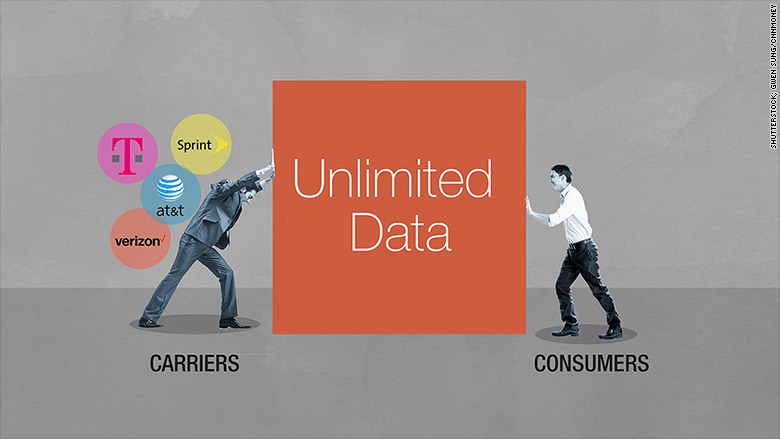
A Comparison of The Big 4 Unlimited Data Plans

Image result for unlimited data plans images

Tech News and Opinions

Ajit Pai admits FCC lied about “DDoS,” blames it on Obama administration

Pai blamed the spreading of false information on employees hired by the Obama administration, and said that he isn't to blame because he "inherited... a culture" from "the prior Administration" that led to the spreading of false information. JRC: I wonder who told him to use this lie?

Verizon Accused of 'Grossly Overstating' Its 4G Coverage

A trade group representing rural cellular carriers says Verizon “grossly overstated” its 4G LTE coverage in government filings, which could prevent people in areas that are underserved from seeing improvements in service.

LibreOffice 6.1 Released For Windows, Linux, macOS:

The latest update LibreOffice 6.1 is important in the sense it packs a plethora of big features.

CCleaner Rolls Back Sketchy Update, Promises Not to Undo User Preferences in Future Version

Update from last edition: Piriform, reacting to widespread backlash, rolled back recent changes to CCleaner that made it functionally impossible to prevent data collection.

The Roku Channel Is Now Free on the Web

Roku hardware is no longer required to access the movies, TV shows, and live news streams offered for free on The Roku Channel. Simply load it up on the web using your PC, TV, smartphone, or tablet and start watching.


Desktop and Laptop Tips and Tricks

Timeline Support Firefox add-on brings Windows Timeline to Mozilla's browser

Windows 10's Timeline feature lets you jump back to previous sessions of apps. It's a great way to jump back to a website or document you worked on before.

Best Chromebook as of August 2018

Dollar for dollar you can't beat what HP has to offer here.

5 Amazon obscure settings you should change now

If you are trying to maintain some semblance of your privacy, you’ll definitely want to check these five not-so-obvious settings.

10 useful Gmail settings you'll wish you knew sooner

Here are 10 settings that will improve your Gmail experience. Like anything, the best way to learn Gmail is to practice and experiment, but these options will help you hit the ground running.

Your PC boots, gets to the Windows desktop, then freezes. Now what?

It might take some sleuthing to find out what's freezing up your computer, but these tips will help.


Mobile Computing

Verizon, T-Mobile, AT&T and Sprint unlimited plans compared

You have quite a few options when it comes to unlimited data, but some plans are actually quite limited.

Express Your Selfie: Your Guide to Selfie Basics

Your iPhone is the perfect tool for creating both fun and professional-looking self-portraits with minimal hassle. Read on to learn more about taking the perfect selfie with your iPhone.

Best photographic accessories for your smartphone

If you want to elevate your smartphone photography above the ordinary, there are plenty of affordable accessories to help you do so. Here are 15 to get you going.

How to Prevent Robocalls and Minimize Phone Spam

What great times we live in, where anyone with an auto-dialer can blast out millions of calls to people who don’t want to hear about scammy vacation offers or other nonsense.

Adobe Lightroom might be the best camera app on iOS

If you want to shoot great RAW photos on your iPhone, you should use Adobe Lightroom. That's right. According to tests, Adobe's excellent photo editing app also has an amazing camera built-in. And best of all, it's free/

Apple iPhone Memories feature points to a smart future for your photos

To be clear, Memories has been available on iPhones, iPads and Macs since October 2016, but its editing prowess still impresses today.

Tuesday, August 07, 2018

FCC Chairman Caught in Big Lie About Net Neutrality

Image result for ajit pai lying images

Tech News and Opinion

FCC admits its comment system never suffered DDoS attack

If you didn't buy the FCC's claims that its comment system fell prone to a DDoS attack when it was soliciting net neutrality comments, investigators have just validated your suspicions. JRC: In other words, Pai is a lying SOB and should be impeached for his actions. He purposely subverted the democratic process.

Microsoft will keep classic Skype alive ‘for some time’ after user backlash

Users did not like the redesigned Skype 8.0

Amazon Alexa will now let you know when it’s learned answers to old questions

If you ask Alexa a question and it doesn’t have the information to respond, this new feature will enable Alexa to notify you at a later time if it learns the answer.

Over 100 HP inkjet models have two critical bugs so patch now, warns HP

HP has patches for two severe flaws affecting over 166 consumer models and multifunction business printers.

New stats show Windows 10 is close to 50% market share

The latest report from analytics firm StatCounter shows that Windows 10 is close to 50% market share. StatCounter has put Microsoft’s latest operating system on the leading spot in terms of Windows market share.


Desktop and Laptop Tips and Tricks

The Essential Windows Apps 2018

Lifehacker Pack for Windows is a list of software champions across four categories: productivity; internet and communications; music, photos, and video; and utilities.

Resize Your Windows Apps to Any Dimensions You Want with 'Sizer'

With the press of a few keyboard buttons, you can reconfigure the size of apps on your screen to any dimensions you want, giving you even more control over how your apps appear than Windows 10's default commands.

Best apps to free up storage on Windows 10

Space limitations on your PC can prevent you from running the apps and games you want. Here are the best apps to free up your storage.

How to stop automatic updates in Windows 10

Windows 10 always install cumulative updates automatically, even if you're against them, but you can use these steps to stop this behavior and decide when to install them.

CCleaner provokes fury over Active Monitoring, user data collection

User anger has forced CCleaner to backtrack on merged data collection and scanning functions pushed forward in the latest update. JRC: I recommend you remove it from your system.


Mobile Computing

The best cheap phone you can buy in 2018

You can get a great phone for less than $300, but you have to choose correctly

Google releases ​Android 9 Pie: Rolls out to Pixel phones first

Android 9 Pie is really about morphing the mobile operating system to a platform for the search giant's artificial intelligence.

10 ways to extend your Android phone battery life

With a few simple tricks, which are already in your Android smartphone, you can get hours more life from your device.

Looking for Business Apps for Android? These Are the 10 Best

We checked out some of the hottest new business apps on the market, as well as some of our old favorites, to bring you our top 10 best Android apps for work

All the Ways Windows 10 Works With Android or iPhone

Windows 10’s Redstone 5 update will include a new “Your Phone” app that syncs text messages, photos, and notifications from your phone to your PC. But you can already do this—and more—with features currently in Windows 10.

How to block websites in Safari on iPhone and iPad

Create a safer internet for your children in iPhone and iPad.