Wednesday, June 05, 2019

Special Edition: Everything Apple Announced at WWDC

Image result for images from wwdc 2019

Apple WDDC News

WWDC 2019: Mac Pro, iPadOS, iOS 13, WatchOS 6, and everything Apple announced

Here's how Apple's WWDC 2019 unfolded and more importantly why it matters.

A Hands-On Look at All the New Features in iOS 13

iOS 13 is an update that introduces a long list of new features and some changes that are quite exciting.

Apple iOS 13 Siri improvements for iPhone, iPad, Watch and AirPods

Apple is making some notable improvements to Siri this fall. You’ll start to see them this fall when Apple rolls out new software, including iOS 13 for the iPhone and iPad.

How Apple Killed Off iTunes And What It Means

Now, there will be three apps that replace what iTunes currently does. Apple Music, Apple Podcasts and Apple TV, each managing part of what the increasingly lumbering app had included.

iPadOS is the most exciting thing Apple announced at WWDC 2019

By unbundling the iPad from the same OS that runs on the iPhone, Apple can add iPadOS specific features without having to worry about confusion or the resources required to bring the same features to the iPhone.

WWDC 2019: Apple unveils iPadOS with improved Safari, multitasking, and new homescreen

Apple on Monday announced that starting this fall, the Pad line up will switch from iOS to iPadOS. The update is part of a renewed focus by Apple to add productivity features and tools to the iPad line, something the line has needed for the past few years.


Other Tech News and Opinions

Microsoft closes its 'specialty stores' in mall kiosks

Microsoft has closed its remaining specialty stores, or in-mall kiosks, and appears to be consolidating its retail presence around full-fledged brick-and-mortar stores.

Mozilla Firefox now blocks websites and advertisers from tracking you

Browser makers are using privacy features to try to win us over.

Google Maps now tells you a restaurant's most popular dishes

Google Maps not only wants to give you directions to a restaurant, it also wants to help you decide what to eat when you get there.

Facebook, Instagram, Twitter have a dark side. Here's how to anonymously report abuse

Social networks make it possible to flag cyberbullying and hate groups that you encounter online.


Desktop and Laptop Tips and Tricks

How To Back Up Your iTunes Music Before iTunes Is Retired

According to Apple, the long-running media management program will be retired in the next version of the macOS operating system and replaced by three new apps: Apple Music, Apple TV, and Apple Podcasts. PS: Does not apply to Windows users.

How to change mouse settings in Windows 10

Windows 10 gives you a range of customisation options for your mouse, so you have flexibility in how your cursor behaves. In this guide, we'll walk you through the available settings and the impact they have on your pointer.

How to manage Windows Security Tamper Protection feature on Windows 10 May 2019 Update

Can't change security settings using commands or want to add an extra layer of protection? Use this guide to manage the new Tamper Protection feature on Windows Security.

How to fix a Windows 10 laptop that's plugged in but not charging

This problem was not uncommon and would occasionally arise after a Windows update. And more thankfully, there was an easy fix

Google still plans to cripple ad-blocking in Chrome

The tech giant is considering making an exception to its stop on ad blockers for enterprise. JRC: You might want to consider the Brave Browser that uses the Chrome engine, but blocks ads.

Google Is Putting an End to Ad-Blocking in Chrome: Here Are the 5 Best Browser Alternatives

The world's largest advertising platform is planning to no longer let you block the ads that make it billions if you use its web browser. PS: I Use Bravo and love it!

How to uninstall apps and programs on Windows 10

In this guide, we explain how to uninstall apps and programs in Windows 10 1809 (October 2018 Update) using specific methods tied to their base design.


Mobile Computing – In General

Kindle Paperwhite Tips and Tricks

5 tips and tricks to make your Kindle Paperwhite even more useful

Tired of Robocalls? Stop Answering Your Phone

Nearly half of all calls come from automated systems, and that number is increasing. Tired of answering your phone and talking to robots, scammers, or scammer robots? Just stop answering.

The Best Way to Clean Your Phone and Your Phone Case

Now that we’ve established that basically no one is cleaning their phone often enough, some good news: Regular cleaning a phone and its case is a less-than-30-second operation.

Minecraft Earth is a new augmented reality game for Android and iOS, beta launching this summer

Minecraft is one of the most popular video games around, and this summer a new version is coming to mobile. Minecraft Earth is a new augmented reality game that lets you build Minecraft structures in the real world.


Mobile Computing – iOS Only

How to block ad tracking on your iPhone

A recent article in The Washington Post described the author's shock when he discovered just how many of his iPhone apps were collecting and uploading information about his usage while he slept.

New app tracks the trackers on your mobile device

A test run with a new app called "Disconnect" found over 5,400 trackers had gathered more than 1.5 gigabytes of data in just a single week.

4 Apps That Are Probably Draining All Of Your iPad’s Battery RIGHT NOW

There are apps that we can’t live without, apps that are so fun we don’t want to live without them, and apps that are — quite honestly — doing our devices more harm than good.

4 Must-Have iPhone Apps for Traveling to a New Country

There are a few apps in particular that can make traveling internationally a breeze. From solving language barriers to enhancing your security, here a few apps to make traveling more enjoyable.

Get Focused: 8 iPhone Apps for Staying on Task

While your smartphone use can be a symptom of an attention problem, it can also become part of the solution.

Tips for Drawing with an Apple Pencil

While there is some overlap with the basics functions of both a regular pencil and an Apple Pencil, you'll find the Apple Pencil has potential to unlock a digital flood of creative possibilties and may help with an artist block or two.


Mobile Computing – Android Only

Best Android One Phones in 2019

If you're in the market for a new Android phone, you owe it to yourself to make sure it's an Android One device...Phones that are part of Google's Android One program come with stock builds of the latest version of Android and guaranteed software updates/security patches.

Google Photos dark mode rolling out to Android Pie and Oreo

Dark mode appears to be rolling out wider. It shows up for users on Android Pie and Oreo with their own system dark themes enabled.

Google Maps gets an on-screen speedometer while driving

Google is finally rolling out essential Waze features to Maps, including speed limit indication and speed camera alerts.

How to make your phone screen darker on Android with these hacks

Use these tips to tone down your screen brightness at night.

The Google Trips app is being shut down come August 5

Another day, another Google app being killed.

Google's Android and Apple's iOS are more similar than ever

People who own an iPhone, Apple Watch, iPad, or Apple TV have a lot to look forward to when the revised platforms arrive later this fall...and Android fans may have spotted a few familiar features.

Thursday, May 30, 2019

Here is How All the Cord-Cutting Services Stack Up

Image result for Cord Cutting Services Photos

Tech News and Opinions

Hulu vs. YouTube TV vs. Sling TV vs. DirecTV Now vs. PlayStation Vue: Channel lineups compared

How the top 100 channels stack up on every cord-cutting live TV service in the US.

Apple Card, Venmo Card and PayPal Card: Which should you get?

It's not just Apple Card that's looking to revamp the scene. Tech companies like PayPal, Amazon and Square have also supplemented their digital services with physical credit and debit cards that offer a range of perks

47 Democrats cave on net neutrality after GOP calls bill “dead on arrival”

Forty-seven Democratic members of Congress are calling for a net neutrality compromise with Republicans, who have refused to support a full restoration of the net neutrality rules repealed by the Ajit Pai-led Federal Communications Commission.

Cashless stores are the hot new thing. Now politicians are stepping in

Crying foul over potential discrimination, state and local governments are cracking down.

Beyond Amazon Prime: All the other services you can get from Amazon

Audible, Kindle Unlimited, FreeTime Unlimited, Prime Pantry and more: Amazon sells more than just things.

Microsoft hints at new modern Windows OS with ‘invisible’ background updates

Windows might be getting more like Chrome OS. Windows Lite is a rumored lightweight version of Windows for dual-screen and Chromebook-like devices


Desktop and Laptop Tips and Tricks

How to clean out junk files in Windows 10

Free up gigabytes of space on your desktop, laptop or tablet -- no special tools required.

How to activate and use the built-in Windows 10 back-up feature

While numerous sophisticated back-up applications are available, many taking advantage of network and cloud services, Microsoft Windows 10 offers a built-in back-up feature that is simple to activate and use.

New to OneNote? Here's everything you need to know in four charts

OneNote lets you type information in your notebook or insert it from other apps and web pages, take handwritten notes or draw ideas using a stylus or your finger, use highlighting and tags for easy follow-up, share notebooks to collaborate with others and access your notebooks from any device.

Get Organized: 10 Tips for Managing Your Digital Notes

When you go paperless, taking notes is easy, but knowing what to do with them is hard. Learn how to organize and store your digital notes in a way that makes them useful.

How to set your Google account to delete itself after you die

Google has controls that let you manage what happens to your account when you die including sharing your info with up to 10 people.

Microsoft launches 'Fluid Framework' to transform the traditional Office document

Goodbye Word, Excel, et cetera; hello, web-based collaboration.


Mobile Computing – In General

Why your phone gets so damn hot and how to keep it from overheating

An overheated phone is an unhappy phone. Here's what to do if yours does this.

How to Save Battery on iPhone - Extend Battery Life

Skip the battery-saving apps. Forget force-quit. Here are the simplest ways to save the most juice.

The Best 360-Degree Camera Apps for iOS and Android

Capture the world around you with these easy-to-use 360-degree smartphone apps

Apple announces a new… iPod touch

Apple is updating the iPod touch with an A10 Fusion system-on-a-chip. Other than that, it looks pretty much like the old iPod touch with a four-inch display, a classic home button and many different color options.


Mobile Computing – iOS Only

Apple releases iOS 12.3.1 software update

Apple has released a new software update for the iPhone and iPad, iOS 12.3.1 and the update is mainly about some bug fixes.

The complete guide to Apple's Health app

Here how's to view, manage and actually doing something with all that data your Health app colle

How to add your own music to your iPhone without iTunes

Vox is a slightly confusing music app that combines your built-in Apple Music library with your Soundcloud, Spotify, and other services. And it will also let you import any audio file, and then add it to playlists and so on.

Permanently delete iPhone zombie apps once and for all

Your iPhone app data lingers around more than you know.

Apple to be more upfront about the impact of iPhone updates

iPhone maker promises to warn users if an update will affect smartphone performance.

Once you use dark mode in these 9 iPhone apps, you'll never go back

You don't have to wait for Apple to add an official dark mode to iOS.


Mobile Computing – Android Only

10 really good hidden gem apps for Android!

There are thousands of good ones so this is by no means a definitive list of hidden gems. For now, here are ten good hidden gem apps for Android! Feel free to add your own to the comment section!

Here’s what’s new with OneNote for Android

The OneNote app for the Android platform was recently updated with a host of tweaks and added functionality.

Best Android Phones Under $200 (May 2019)

Thankfully, cheap smartphones are still plentiful with more great options to choose from than ever before. If you need a new handset but only have $200 to spend, these are your best options.

11 things my Android phone does way better than your iPhone

For the past year, I've been carrying a succession of Android devices and iPhones, learning the ins and outs of each one. But a collection of small, usability-enhancing features keeps me coming back to Android as my everyday choice. Here's my list.

Microsoft Launcher beta gets adaptive icons, hidden dock option, more

Resize your icons, hide your dock, and more in the latest Microsoft Launcher beta update.

Wednesday, May 22, 2019

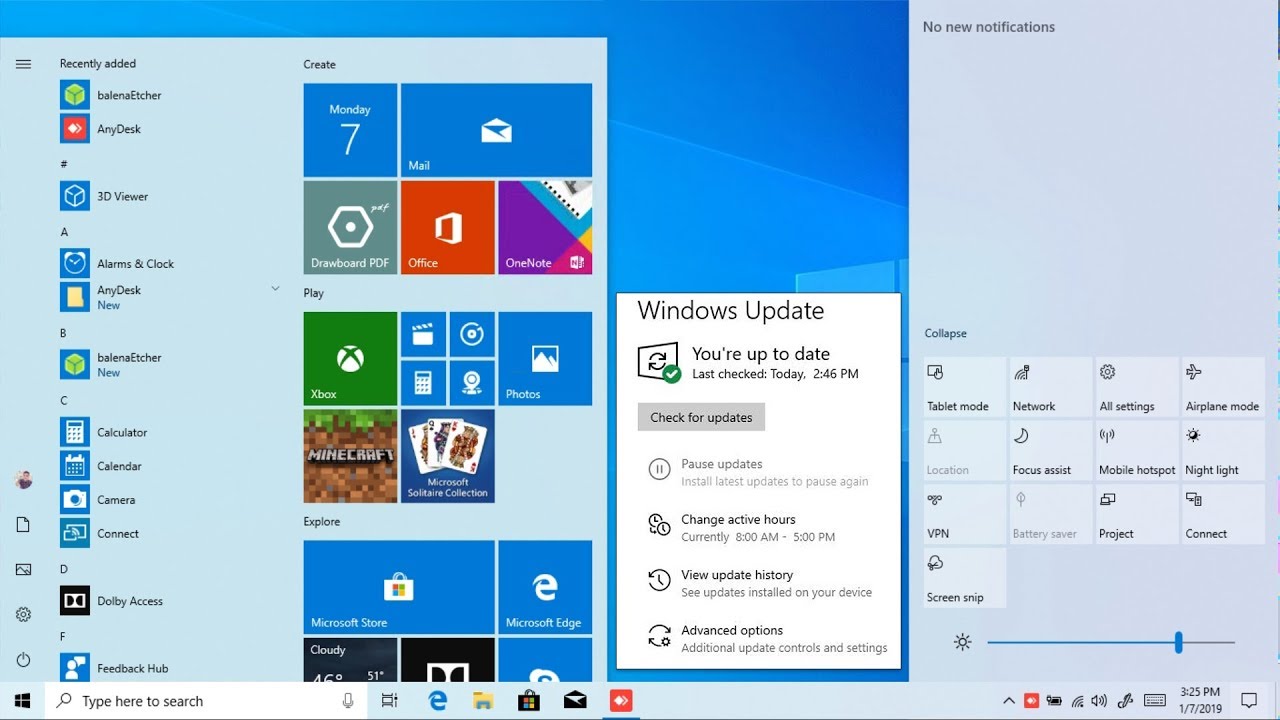
The 2019 Version of Windows 10 is Here, Now

Related image

Tech News and Opinions

Microsoft’s next major Windows 10 update is now available

You can grab the Windows 10 May 2019 Update directly from Windows Update by heading into Settings > Update & Security > Windows Update and checking for updates.

Windows 10 May 2019 Update review: the 10 best new features

Windows Sandbox, a new light theme, and more

Windows 10 version 1903: Is it safe to install yet?

Microsoft is taking an extra cautious approach to the rollout of the latest Windows 10 feature update. Windows 10 version 1903 has just been released to the general public after a lengthy round of extra testing. Should you install the new update or wait?

Microsoft to start pushing Windows 10 version 1903 automatic updates within weeks

Thanks to Microsoft's new Download and Install option for feature updates, you no longer have to worry that your PC will install the next version automatically, right? Guess again. If you're running last year's Windows 10, the new update could install automatically within weeks.

Opinion: The Trump Administration Is Selling Out Hundreds of Millions of Cell-Phone Users

Our old nemesis, Ajit Pai, the chairman of the Federal Communications Commission, threw his support behind a merger of T-Mobile and Sprint, which could lead to higher prices for cell-phone users across the country.

Details emerge on Huawei's potential plans to go forward without Google

Huawei has a new operating system in development that allegedly runs Android apps and could land as early as this fall.


Desktop and Laptop Tips and Tricks

Facebook wants your data: 5 ways to keep it safe

Hide your life from Facebook, while still posting about your life on Facebook.

Windows Sandbox: How to use Microsoft's simple virtual Windows PC to secure your digital life

Protect your real PC from harm when you try out suspicious software or sites.

How to delete yourself from the internet

Finally ready to get off the grid? It's not quite as simple as it should be, but here are a few easy-to-follow steps that should point you in the right direction.

How to play DVDs in Windows 10 for free

Windows 10 won't play DVDs natively, and Windows Media Center is gone.

How To Get the Most Out of Your Chromebook’s RAM

Chrome OS manages RAM differently than Windows or Mac computers, but that doesn’t mean you can’t optimize your workflow to make the most of your system’s potentially limited RAM. Here are some tips to help make your Chromebook’s RAM go further.

How to Not Have 100 Browser Tabs Open

The 100-tab habit is widespread; it’s nothing to be ashamed of. But a cluttered browser can lower productivity and reduce computer speeds. Maybe it’s time to break that habit with a few simple tips.


Mobile Computing – All OS’s

Best phones for under $500

If you're looking for a phone on a budget, check out CNET's top 8 picks for phones under $500 -- and another deserving pick that's just a touch more.

The Best Free Apps and Software You're Not Already Using

It’s freshly curated to highlight the top tools and applications you’re (probably) not already using.

How to stop robocalls on iPhone and Android

Here are the best ways to block spam calls from ever getting to your smartphone.

How to use Google Maps to help someone find you

Share your location in real time, and make meet-ups easier than ever

Microsoft Authenticator: What it is, how it works, and how to use it!

This entire guide works for both the iOS and Android versions of the app.

What Is Google PhotoScan and How Does It Work?

Google PhotoScan is a Google Photos companion app that lets users scan and digitize print photos on the fly.


Mobile Computing – iOS Only

How to clear cookies on an iPad to help it run more efficiently

If you find that Safari is experiencing problems trying to display web pages, or if your iPad is running very low on storage space, you can clear your cookies to see if that resolves the problem.

How to download and watch offline in the new Apple TV app

It’s useful when you’re traveling or commuting. Today we’ll see how to download and watch TV shows and movies offline.

Best iPad apps you're not using in 2019 (but should be!)

Here are some great apps that should be on every iPad!

How to Use Apple Pay

It's easy to set up Apple Pay and use it at the register

Seven Safari Tricks on iOS You Might Not Know

Safari on iOS has a surprising number of hidden tricks, letting you manipulate tabs, conduct page-specific searches, and more, and not all of these features are immediately obvious due to the gestures involved.

Once you use dark mode in these 9 iPhone apps, you'll never go back

You don't have to wait for Apple to add an official dark mode to iOS.


Mobile Computing – Android Only

Google Play Protect helps keep malware off your phone

Google Play Protect is built into Android and is already hard at work.

Google blocks Huawei access to Android updates after blacklisting

Google has suspended Huawei’s access to updates of its Android operating system and chipmakers have reportedly cut off supplies to the Chinese telecoms company, after the US government added it to a trade blacklist last week.

Google Calendar and Google Keep get dark mode on Android

Over the last few months, Google's been steadily adding an official dark mode to more and more of its apps. Following the likes of Google Messages, News, Contacts, and others, Google's now announced dark modes for Calendar and Keep.

First official version of Tor Browser for Android released on the Play Store

This new mobile browser integrates the Tor protocol stack into a standalone browser and replaces Orfox as the main way to navigate the Tor network from an Android device.

Google Assistant rolling out in latest Messages update

With today’s Messages for Android update, the Google Assistant is arriving for some, bringing useful contextual suggestions.

Thursday, May 16, 2019

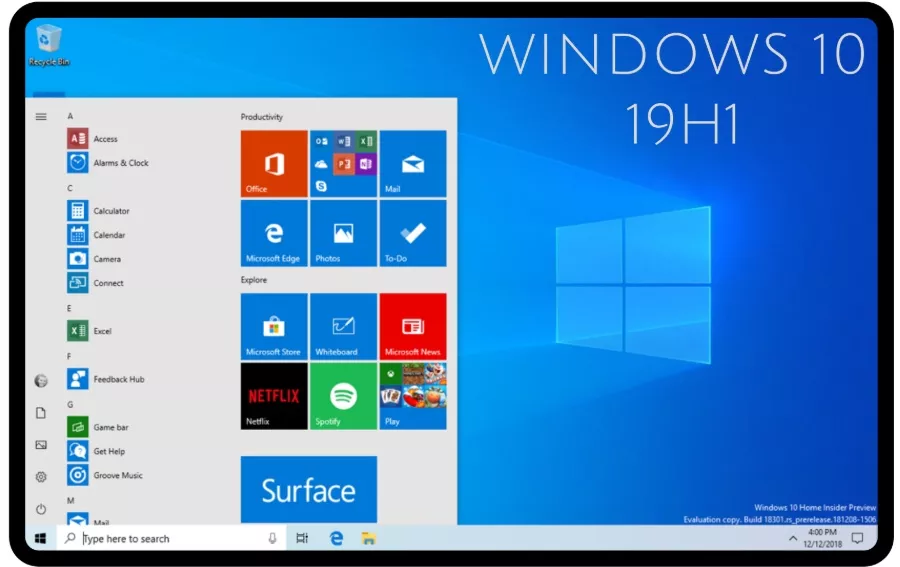
The Next Windows is Just Days Away. Here is What’s New

Image result for windows 19h1

Tech News and Opinions

How the Apple store has fallen from grace

Under a series of leaders, Apple stores have lost their sterling reputation. Here is how it happened.

Smartphone sales plummet as consumers wait for Apple's next big thing

Smartphone shipments in North America fell to a five-year low of 36 million units for the first quarter of 2019, down by eight million units or 18 percent from a record high of 44 million in the same quarter last year.  Apple's shipments dropped 19%.

What Is Inbox Zero, and How Can You Achieve It?

Inbox Zero is a staple of digital productivity advice. “Achieving Inbox Zero” is the knowledge worker’s equivalent of “reaching enlightenment.” But Inbox Zero doesn’t mean having an empty inbox—it’s all about reducing the stress of email.

Home security systems you can install yourself

Scroll through your options below to learn more about the best DIY home security systems available today.

Which smart home gadget should you buy first?

t depends, but we've got plenty of suggestions, and everything you need to help narrow them down.

New security flaws have been found in Intel chips—this is what you need to do right now

The four new vulnerabilities, uncovered by cybersecurity researchers, affect almost every chip the firm has made since 2011


Desktop and Laptop Tips and Tricks

The Windows 10 May 2019 Update is coming - here's what's new

If you haven't kept up with the Insider program, you may wonder why you should install it. So let's take a look at all the changes coming with Windows 10 version 1903. Includes a 30 minute video to show you all the new features.

8 Google Chrome extensions to make your life easier

Turn Chrome from a browser into an essential work sidekick.

Microsoft AI will help make your writing more politically correct

Microsoft will soon preview a version of Word that will use artificial intelligence to make your writing not just grammatically but politically correct.

Microsoft Office 365: Change these settings or risk getting hacked, warns US govt

Cyberattackers aren't showing any sign of letting up on malware and phishing attacks, but fortunately there are some steps even thinly resourced organizations can take to minimize the chances of a security breach.

Function Keys: A List of What Those F1 - F12 Keys Do

You can stop wondering about those function keys. We have the answer.

How to disable your webcam in Windows 10

There is a more elegant method for blocking your webcam than sticking a piece of tape over it.

Turn on the dark mode in Windows 10

You don't have to be jealous of Mac and Android users. In Windows 10, you can turn on dark mode, too.

The Best Antivirus of 2019 to Protect Windows 10

Your PC needs protection against malware, and free antivirus software may be enough. Here's what to get for Windows 10, and what's worth paying extra for.


Mobile Computer – All OS’s

Best apps for gardening and yard work for spring 2019

Use these gardening and landscaping apps to keep your lawn healthy, figure out the right stuff to plant and get alerts so your hard work doesn't go to waste.

Differences Between Android and iPhone

From facial recognition and customer service to malware vulnerability and system accessibility, these are the seven biggest things that set Androids and iPhones apart.

WhatsApp flaw let attackers install spyware with a phone call

A feature of the messaging app was used to secretly install malicious code, the Financial Times reports.

Messaging Dos & Don'ts: Texting Rules for the Digital Age

Now that texting and messaging apps have overtaken phone calls as the preferred method of staying in touch, it’s a good idea to become familiar with the dos and don’ts of texting as well.


Mobile Computing – iOS Only

How to download and install iOS 12.3 on your iPhone or iPad

Apple has released iOS 12.3, the latest OS version for iPhone and iPad. Update now!

How to Back up an iPad

Learn how to back up your iPad on your computer or in the cloud

How to check if your iPhone X screen can be replaced for free

Are you having issues with your iPhone X screen not responding properly to touch input? Or seeing the screen respond to ghost touches? Read on for how to check if your iPhone X screen is eligible for a free replacement.

Microsoft Outlook on iOS adds new complications for Apple Watch Series 4

Microsoft has released a nice update to its Outlook application on iOS. The update makes notable improvements to the Apple Watch application for Outlook, including new complications and more.

5 easy steps to transfer files and settings from an old iPhone to a new iPhone

Transfer your iPhone photos, videos and contacts with this step-by-step guide.

How to Remove Duplicate Songs From iTunes

If you do a lot of downloading outside the iTunes store, songs in your library can get jumbled up, leaving you with duplicate albums. If you’d like to know whether you’ve downloaded something twice, it’s easy to tell in iTunes.

How to Search Contacts on Your iPhone

If you're wanting to call someone whose number you've saved, edit their contact details, or share their contact details with someone else, you can quickly find their contact card by searching Contacts.


Mobile Computing – Android Only

Once you use dark mode in these 8 Android apps, you'll never go back

An official dark mode is coming to Android, but you don't have to wait for it.

Why Android Users Need Windows 10’s “Your Phone” App

Windows 10’s Your Phone app links your phone and PC. It works best for Android users, letting you text from your PC and wirelessly transfer photos back and forth. Notification sync and screen mirroring features are on the way, too.

Android Q: Best and worst features of Google's beta OS so far

Hint: Night mode is awesome, I love using QR codes to join Wi-Fi networks but some things are broken.

Google Shopping will work across all Google products, replace Express

The company announced a big revamp to its Google Shopping product which will create a universal shopping cart across many of its services. It will also rebrand its Google Express store to tie-in to the new Google Shopping experience.

Google confirms ads in your Discover feed are imminent

For users, the takeaway is that we'll be seeing more ads in more places. That's unpleasant, but not surprising: Google is in the business of selling ad space in front of our eyeballs, after all.

Trump expected to sign order paving way for U.S. telecoms ban on Huawei

President Trump is expected to sign an executive order this week barring U.S. companies from using telecommunications equipment made by firms posing a national security risk, paving the way for a ban on doing business with China’s Huawei.

Wednesday, May 08, 2019

Here is What Google Announced at Its Big Event

Related image

Tech News and Opinions

Google I/O 2019: Pixel 3A, Android Q and everything else Google announced

The Google I/O developer conference has started with news on cheaper Pixel phones, a bigger Hub smart display, the next Android and improvements to Assistant, Lens and AR.

The new Pixel 3a – 6 features that may sway you from buying a thousand-dollar flagship

You get a surprising amount of phone for the price starting at $399

Putin Signs 'Russian Internet Law' To Disconnect Russia From The World Wide Web

The new law would provide for central control of all internet traffic, and in essence, remove the need for data to be sent to and received from overseas servers. This control would clearly introduce traffic monitoring and stark censorship of sites that could be visited by Russian users.

How Amazon Helped Turn Daily Life Into a Subscription

Today’s subscription services cover toilet paper, dog toys, and furniture. But what is lost with convenience?

Photographers fret as Adobe tests removing $10 Lightroom-Photoshop plan

It's only a website experiment, but it's enough to get some photographers looking for alternative photo editing tools.


Desktop and Laptop Tips and Tricks

Microsoft releases second patch for Windows 10 version 1809 this week, here’s what’s new

It’s quite unusual for Microsoft to release two cumulative updates in a single week (especially on a Friday), but the new bits bring quite a long list of fixes.

How to play DVDs in Windows 10 for free

Windows 10 won't play DVDs natively, and Windows Media Center is gone.

How to Improve Microsoft Word’s Grammar Checker

Microsoft Word comes with a powerful grammar checker, but many of its advanced grammar detection features are disabled by default. Grammarly is popular, but you don’t need it to add grammar checking to Word. Word itself contains a free alternative to Grammarly.

Microsoft rolls out Excel tool that turns phone pics into spreadsheets

The feature, first announced at the Ignite conference last September, lets you take a photo in the Excel app of table data with your phone. The information is automatically turned into an editable Excel spreadsheet.

Awesome hack: Use Google Docs to sign documents

Forget using a third-party service to digitally sign a document -- Google Docs to the rescue!

How to give the new Microsoft Edge a test run—and why you should

With the launch of Windows 10, Microsoft also introduced a brand new browser called Microsoft Edge. Now, four years later, the company has redesigned and rebuilt it from the ground up.

See the WiFi Passwords for Every Network You've Connected to With this Android App

I recently came across a great app for finding passwords in my phone using the WiFi Key Recovery app.

End to surprise Windows 10 updates? New 'download and install now' option rolls out

As Microsoft promised in early April, Windows 10 is gaining a new option that gives users better control over when its twice-yearly major feature updates are installed.


Mobile Computing – All OS’s

The perfect way to start an email — and 29 greetings you should avoid

If you’re thinking the email greeting isn’t all that important and that it’s silly to overthink it, you’re wrong.

6 new hacks for your old Android or iPhone

How to turn your old phone into something new you'll actually use.

Google will now let you automatically delete location and activity history. Here's how

A small win in the fight for more privacy control

This browser extension shows you which Amazon books are available free at your local library

Available for Chrome and Firefox, the insanely great Library Extension saves you time and money.

How to delete your Facebook account so the social network stops tracking your data

CNET discovered that simply deactivating your account doesn't go far enough.


Mobile Computing – iOS Only

How to Search Events in the Calendar App on the iPhone & iPad

Know you have a birthday party to go to this month but can't remember the date? Need to see when your last haircut appointment was? Here's how to search the Calendar app on your iPhone or iPad to find events and their dates.

Why the Best App for Your iPhone Isn't What You Expect

There are millions of apps for your iPhone, but the best one comes free on every device, and it's not what you think.

Force Apple Music to play all songs at the same volume with Sound Check

The answer is Sound Check, a feature built into every iPhone, iPad and Mac.

Most iOS Users Are Doing These 9 Basic Tasks Wrong

To be clear, there’s technically no “wrong” way to use an iPhone – but there are some basic tips and features you should take advantage of to make using your iPhone even better.

The best smartwatch you can buy is also the world's most popular, by far

The best smartwatch you can buy is the Apple Watch Series 4, and the latest figures research figures show that the vast majority of people understand this, as it’s by far the world’s most popular smartwatch, too.

How to use the Dock on your Apple Watch

Use the Dock on Apple Watch to control your music and quickly access apps!


Mobile Computing – Android Only

Stolen or lost Android phone? Here's how to get it back

In the event your phone goes missing, don't panic! There are tools built into every Android phone that make it possible to lock and track down a lost phone with ease.

If you're not texting with Android Messages for Web by now, you're doing it wrong

Google's answer to Apple's iMessages for typing texts on your laptop will save you time.

Android customization: The simple joys of making your phone your own

Luckily, by using various Android customization methods, there are ways to revamp the software of your smartphone and make it look, feel, and act differently.

This Is The Worst Mistake You Can Make When You Get The Low Battery Alert On Your Android phone

While it’s important to get a handle on how much battery power you have left, many of us are all too aware of this because we check our phones a hundred times a day.

The ultimate guide to replacing your smartphone battery

Even with the days of removable batteries behind us, there are still are a lot of options. In this guide we will show you how and how much it costs to install a new battery on your phone.

See the WiFi Passwords for Every Network You've Connected to With this Android App

I recently came across a great app for finding passwords in my phone using the Wi-Fi Key Recovery app.

Thursday, May 02, 2019

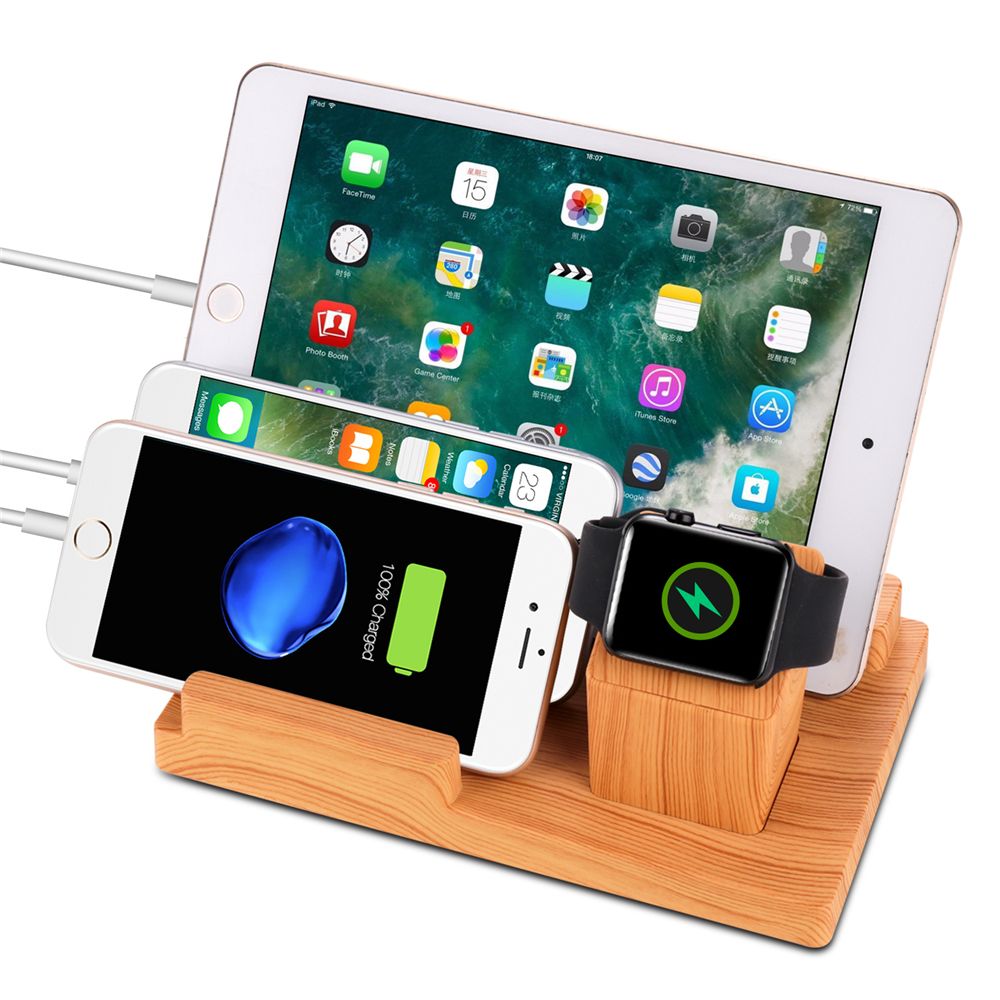
Get All Your Gadgets Charged Fast!

Image result for charging gadgets

Tech News and Opinions

How to Charge Your Gadgets as Fast as Possible

Getting your gadgets charged up is about more than how long they’re plugged in for. There are tips and tricks that can get it charging faster.

Windows 10 Will Require 12-16 GB More Storage

Microsoft has raised Windows 10's minimum storage requirement to 32 GB. Previously, it was either 16 GB or 20 GB. This change affects Windows 10's upcoming May 2019 Update, also known as version 1903 or 19H1.

How reliable are modern hard drives?

If you want to know how reliable modern hard drives are, ask a company that uses a lot of them.

Amazon raises the stakes again with Prime one-day shipping

Even as Amazon pushes ahead, expect other retailers to struggle to match it.

Windows 10 security feature causes 'huge' Chromium performance issues: Fix coming

Tests run on Windows 10 are three to four times slower than on Windows 7, with a security feature being blamed.

The best cheap smart bulbs: Does it matter which one you buy?

Looking for a light bulb that you can automate or control with voice commands? You're in luck -- and you won't need to spend more than $10.

Facebook CEO Mark Zuckerberg says the ‘future is private’

Facebook CEO Mark Zuckerberg says he’s committed to turning his company around. The chief executive said that privacy will be the defining pillar of his social network’s sprawling empire going forward.


Desktop and Laptop Tips and Tricks

Outlook for Windows gets new time-management capabilities with Office 365

Manage your time more effectively with Outlook Calendar's latest features.

How to Create a Simple Invoice Using Excel

Creating a custom invoice in Excel isn’t difficult. You’ll be ready to submit your invoice and receive payments in no time.

PowerPoint animation tips & advice

We’ve provided a sample PowerPoint presentation for your convenience as you practice the following tips:

10 truly helpful Windows 10 tools you might not know about

Enthusiast-friendly power tools lurk in every corner of Windows 10. Let's shine a light on some of the more obscure ones.

These are the most commonly hacked passwords - is one of them yours?

Your name, your favorite football team and your favorite band: The UK's National Cyber Security Centre has released a list of the 100,000 most common passwords to appear in data breaches in an effort to encourage users to select strong passwords.

The best alternatives to OneNote for capturing all your dazzling ideas

OneNote is flexible and much liked. But if it doesn't work exactly like you want, you have plenty of other options to capture and keep notes.

Edge Insider moves web app installs to Windows 10 top level after feedback

After listening to feedback from Edge Insiders, Microsoft has changed how web apps appear on the Windows 10 Start Menu.


Mobile Computing – All OS’s


Best and Most Reliable MicroSD Cards for Long-term Storage

Keeping all of your photos, videos, music, and other media on a physical device is extremely important. This was true for the computer age and it's still true for the smartphone/tablet era.

Don't use these 9 things to clean your phone

Using specific cleaning tools and techniques to keep your phone (and clothing) clean will help protect the screen longer. There are also cleaning agents you want to make sure you avoid.

5 Best Noise Cancelling Earbuds Of 2019

Their smaller size means they usually aren’t as feature-packed as larger models, but there are still some great earbuds with good active noise cancellation (ANC) that are good for commuting, using at the office, or while going for a quick jog.

New tool shows how Facebook and Google track you

A new tool shows how the biggest social media companies track you, right down to your device’s battery level and email you’ve sent.

Mobile switch: How I canceled Verizon and cut my phone bill in half

After I made the last payment on a two-year Verizon device contract, I decided to take a closer look at my mobile bill. After some detailed analysis, I discovered I was overpaying dramatically. Here's the checklist I used to cut my monthly bill by more than half.

Google Drive: How to get the most out of the app for iOS and Android

The settings you should tweak, and the features you should know about.


Mobile Computing – iOS Only

How to tell which iPad model you have

The latest iPad model numbers are included, as well as some additional China-only numbers.

How to download files on an iPad to specific apps

When you download a file on an iPad, you need to specify where that file will go on the device (into an app), or else place it in your iCloud Drive.

New iPad feature to compete with laptops on track for Apple's iOS 13

Commentary: When Apple unveils the next version of iOS at WWDC in June, it could integrate one of the trademarks of the original Mac

Seven Useful Tips Every Apple Watch Owner Should Know

There are lots of hidden shortcuts and features that have gone under the radar in watchOS, the operating system that runs on the Apple Watch.

Apple will soon be blitzing your iPhone with ads, because it's profitable

As Apple looks to grow revenue streams outside of selling more iPhones, one area that it is expressing interest in is ads. So, expect to see more on your iPhone.


Mobile Computing - Android Only

Best Podcast Apps for Android in 2019

There are more than a few podcast apps on Android for discovering all of the shows that are out there, but these six are easily our favorites.

Windows 10 Your Phone app: Now your Android notifications sync to your PC

Windows 10 users can now see and dismiss smartphone app notifications from the desktop.

How to text iPhone vids that aren’t blurry on Android

While it might seem like it’s the result of sabotage between platforms, that’s not the case. It has to do with compression.

Action Launcher v40 features a fresh look, new search, and more

Action Launcher version 40 is now available. The update includes a new pillar feature that might rub some people the wrong way — Action Search.

Here’s the New Facebook App With Its Big Focus on Groups

They are calling it a “fresh” design that is “simpler, faster, more immersive and puts your communities at the center.”

This is Android Q's quiet killer feature -- trust us, you'll love it

Hint, hint: You may never have to type a long Wi-Fi password ever again.

Thursday, April 25, 2019

Windows To Block May 2019 Update To Computers with USB Drives

Image result for windows upgrade blocks usb storage

Tech News and Opinions

Microsoft blocks Windows 10 May 2019 Update on PCs that use USB storage or SD cards

Workaround: Users must remove any USB storage device and SD card and restart May 2019 Update installation.

Stores that don't exist anymore

Malls are losing their anchor stores, and many are being abandoned due to the rise of e-commerce and declining foot traffic to malls.

Kohl's to accept Amazon returns in-store this summer

You can return packages for free at your local Kohl's store starting in July. The stores will accept "eligible Amazon items," without a box or label, regardless of the reason, and ship them to Amazon for free.

Samsung delays Galaxy Fold launch after reports of screen issues

Samsung is delaying the release of the $1,980 Galaxy Fold indefinitely.
At issue, of course, is the screen breakage reported by a few of the early reviewers who were given devices a week ago.

Trump admin considers using social media to deny you benefits

The Trump administration is reportedly working in collaboration with the Social Security Administration to develop a plan for combing through social media posts for evidence — whatever that means — that those receiving certain types of government benefits should have those benefits denied.

Will Apple's TV app on Roku, Fire TV and Samsung kill the Apple TV box?

Although it doesn't work with Netflix, the TV app is a valiant attempt to simplify the confusing world of streaming. And now, for the first time, it's coming to non-Apple devices.


Desktop and Laptop Tips and Tricks

Google Chrome is getting a reader mode on desktop

The desktop version of Google Chrome’s browser is getting a reader mode, which can be used to strip out a page’s unnecessary background clutter to make an article easier to read.

Why a Chromebook isn't the same thing as a budget laptop

They may look the same, but a laptop and a Chromebook are more different than you might expect.

Best Windows backup software 2019: Free and paid options reviewed

The best programs for keeping your data and Windows safely backed up.

Windows 10's 'Sets' feature is gone and not expected to return

Sets, Microsoft's Windows-management feature which allowed users to group data, sites and other information in tabs, is gone and not expected to come back in a future release of Windows 10.

Get Organized: How to Scan Your Old Photos

It's time to free your old photos from shoeboxes and albums no one ever looks at. Scanning your photos makes them more shareable, searchable, and resistant to disasters.

How to enable Google Chrome’s new dark mode on Windows 10

While Google is enabling this new dark mode on Windows, the company hasn’t fully switched it on for all Chrome users just yet. If you don’t want to wait for Google to fully enable this, there’s a shortcut trick to force dark mode:

Google Chrome vs Mozilla Firefox in 2019: The battle of the browsers

Firefox has been rebuilt practically from the ground up -- but is it enough?


Mobile Computing – In General

11 of the best car apps you can download today

There are several car aps that have enhanced the driving experience. Some of the best car apps help you find parking spots, schedule vehicle repairs, and warn you when you're going above the speed limit.

Windows 10's 'Sets' feature is gone and not expected to return

Sets, Microsoft's Windows-management feature which allowed users to group data, sites and other information in tabs, is gone and not expected to come back in a future release of Windows 10.

5 Apps You Should Delete From Your Phone RIGHT NOW, According To Tech Experts

Most apps are amazing — you wouldn’t think twice about living without them. But once in a while apps come along that are buggy, draining on your battery, and possibly even dangerous to the security of your iPhone or Android.

8 spring cleaning apps to clear out your winter junk

You don't need Marie Kondo to declutter your house. Just get some of these apps.

Microsoft, Google Have Both Updated Their Mobile Apps for the Blind

Microsoft’s app, called Seeing AI, is available only on iOS and was first released back in 2017 but it was updated today with new capabilities.


Mobile Computing – iOS Only

How to check what apps have access to iPhone photos

Can’t remember all the apps you’ve authorized to be able to read and write to the Photos app on your iPhone? Read along below for how to check and change your apps’ Photos permissions.

4 Apps Apple Employees Say Make Your iPhone Run SO Slowly

There’s a good chance one or two (or 12)of your apps are considered battery-draining culprits that are only making your device slower

News App for iPhone and iPad: The Ultimate Guide

Are you looking for a new way to get your favorite news sources delivered to your iPhone or iPad? Try the News app!

Google Keep Now Supports the Apple Watch, Apple’s Notes Still AWOL

This ends Google’s absence from the Apple Watch platform after the search giant dropped the watchOS version of its Maps app in May 2017.

Google Fit is now available on iOS

Google announced today that Google Fit is finally expanding to iPhones. The app is available now in the Apple App Store

Permanently delete iPhone zombie apps once and for all

Zombie apps are a real problem for iPhones of every stripe. It happens when you delete an app, only to restore your latest backup or connect your iPhone to iTunes, and lo and behold, the app pops back on your home screen. What is going on?

How to Transfer Photos from PC to iOS in 7 Easy Steps with Pictures

Many people keep digital photo albums on their computer, but sometimes you might find yourself wanting to share your memories with your friends and family. However, if the images are stored only on your PC, it can be harder to quickly share them


Mobile Computing – Android Only

Android Guide: How to Use Android Effectively

This How-To Geek School course aims to teach you how to use Android effectively, showing you the most important settings and methods needed to really become an Android pro and get the most out of your device.

Delete These Sketchy Android Apps That Are Tracking You Without Permission

A recent Buzzfeed article points out that several popular Android apps available on the Google Play Store have been collecting and storing sensitive user data without encryption or permission.

15 new and notable Android apps from the last week

Here is a social podcast app, a self-driving car service app, and a tie-in release that will help you set up the newest Harmony remote

The best remote desktop tools for Android

Here, we'll go over the best options for remotely connecting to a computer from an Android device, or a Chromebook with support for Android applications.

Lost or stolen Android phone? Here's how to get it back

It can happen to anyone, but there are steps you can take to recover your lost or stolen phone.

3 Ways to Transfer Photos from Android to Computer

You can do this on both Windows and Mac computers, both through Google Photos and through a USB cable. If you use a USB cable on Mac, you will need a program called Android File Transfer.

Snapchat's rewritten Android app has now rolled out to everyone

Snapchat began rolling out its rebuilt, faster app for Android earlier this month, and now the refresh app is available to all Android users.

Thursday, April 18, 2019

How Tech Will Help Rebuild Notre Dame

Tech News and Opinions

In the wake of the Notre Dame Cathedral fire, digital scans offer hope for restoration

The recently-deceased Prof. Andrew Tallon finished the painstaking work of laser scanning Paris' Notre Dame Cathedral, creating rich raw data that could potentially help in reconstruction efforts.

Apple will help fund the rebuilding of Notre-Dame de Paris

Tim Cook has tweeted a commitment that Apple will help to fund the rebuilding of Notre-Dame de Paris, the famous French cathedral which was devastated by fire on Monday. Three billionaires have also contributed 100 Million Euros each.

Opinion: Windows 10 Is Doing A Great Job Persuading People To Switch To A Different Operating System

Microsoft’s problems with updating Windows 10 have been so serious and been going on for so long that they are a good reason to consider moving to a different operating system.

Facebook, Twitter and YouTube are broken, and Congress is wasting our time

Commentary: After two days of hearings about hate speech and political censorship on the internet, we're no closer to finding solutions to tech's biggest problems.

The cord-cutting TV dream had another nightmare price hike

YouTube TV's jump to $50 monthly hurts. Could Sling TV be the feel-good cure?

Amazon's big internet plan: 3,236 satellites to beam faster, cheaper web to millions

Soon you could be buying your goods online from Amazon using the company's own satellite broadband system.


Desktop and Laptop Tips and Tricks

Two-factor authentication explained: How to choose the right level of security for every account

Got questions about security keys, authenticator apps, SMS, or iCloud? We've got all the answers

Best battery life laptops for 2019

Our current rankings of longest-lasting laptops has a few surprises.

How to clean your laptop screen and keyboard safely

Use the right cleaners, cloths and techniques to air your filthy laptop, from the screen to the vents.

Facebook still tracks you after you deactivate account

I thought deactivating my Facebook account would stop the social network from tracking me online. But Facebook kept tabs on me anyway.

How Much Internet Speed Do You Really Need?

Internet service providers always want to sell you a faster connection. But forget marketing: How much speed do you really need? The answer is more complicated than you might expect.

How to check out Microsoft's Chrome-like Edge browser for Windows 10

If you want to test an early version of Microsoft's reworked Edge browser, here's your chance.

Add Bluetooth where you had none before with Sabrent's $4 adapter

It allows you to add Bluetooth to any device that doesn't have it. JRC: I bought this device and it works perfectly on an older desktop computer.

How to do a System Restore on Windows 10 to undo problematic updates

Windows 10 has a great tool to return your PC to its previous working state. In this guide we’ll show you how to do a System Restore on Windows 10 step-by-step.


Mobile Computing – General

Delete those useless apps from your phone. Americans use only five mobile apps per day

As more apps flood the market it becomes increasingly difficult to cut through the noise in order to appeal to users. But what triggers mobile users to engage and stay active on their apps?

5 tips and tricks for Google Chrome on Android and iPhones

Because of Google's rapid-release style of app development, there's a regular flow of new features and changes that you might not be aware of.

The best mobile apps for watching video

With one of our choices for best mobile apps for streaming video, you can watch TV shows, news broadcasts, and live streams of worldwide events on your phone.

How to boost your phone's bad signal strength or poor data connection

When your Android phone or iPhone has problems connecting to the cellular or data network, these steps could help.

DOJ says T-Mobile and Sprint merger 'unlikely' to be approved

According to The Wall Street Journal, the Department of Justice isn't so keen on the impending merger.


Mobile Computing – iOS Only

Best iPhone calendar apps for 2019

Go beyond Apple Calendar and use these alternative apps on iOS to plan your day and stay organized, at home and at work

How to Configure Your iPhone to Work for You, Not Against You

The Very, Very Complete Guide to Productivity, Focus, and Your Own Longevity

How to Change Whether New iMessage Conversations Use Your Phone Number or Email Address

When you start a new iMessage conversation it might not originate from the phone number or Apple ID that you expect, causing confusion for the recipient. Here’s how to make sure new conversations use the correct phone number or email address.

Best Apple Watch tips and tricks to make your life easier

We've rounded up the best Apple Watch tips and tricks that can make your life easier.

How to call, message, and email your contacts using Siri

Siri is a digital assistant that can help you stay in touch with your favorite people! Here's everything you need to know to do just that!

How to check stocks and exchanges using Siri

Siri can look up stock prices and exchange positions for you. Whether you want to find out what's happening with APPL or GOOG, or if the DOW or NASDAQ is up or down, Siri's got you covered!


Mobile Computing – Android Only

Best Android Launchers in 2019

Want to upgrade your Android experience? Try upgrading your launcher.

Android Pie: Everything you need to know about Android 9

From new gestures to extending battery life, here's everything you need to know about Android Pie!

A budgeting feature is rolling out to Google Play

Google has a new tool to help you save money.

Play Store finally testing simultaneous app downloads

Store is seemingly in for many changes. Those changes also include simultaneous downloads.

Your Android phone can now be a security key for your Google account

Starting today, you can use any Android phone running Android 7.0 or later as a 2FA security key for your Google Account.

Google Pay can automatically integrate loyalty cards and passes from Gmail

You can now allow Google Pay to integrate things like loyalty cards, movie tickets, airline boarding passes, and more from Gmail. Once enabled, these passes will automatically appear in your Google Pay app.

Wednesday, April 10, 2019

The First Photo Ever of a Black Hole

Image result for black hole photo

Tech New and Opinions

Black hole picture, revealed: First look from across the universe

The Event Horizon Telescope captures one of the most powerful objects in existence. And basically, it's the Eye of Sauron. The technology it took to take this photo is absolutely amazing.

Google’s constant product shutdowns are damaging its brand

It's only April, and 2019 has already been an absolutely brutal year for Google's product portfolio.

Over 540 million Facebook records found on exposed AWS servers

Leak originated at two third-party companies that had collected Facebook data on their own servers.

Opinion: Facebook, Twitter, Instagram are 'garbage,' says Linux founder Torvalds

Tech pioneer Linus Torvalds says the way social media works today encourages bad behavior. "It's a disease."

Microsoft Confirms Massive Windows 10 Upgrade Changes

Windows 10 has a serious upgrade problem which is getting worse. But now Microsoft has taken decisive action in the most welcome and unexpected of ways…

Microsoft going to extreme lengths to ensure May update avoids mistakes of 1809

There'll be a month-long release preview phase, less aggressive end-user deployment, and more.

AirPower, 'Bendgate', Maps: Apple's 15 biggest flops

Lower-than-expected sales, unexpected glitches, design fails -- it doesn't always go right for Apple.


Desktop and Laptop Tips and Tricks

Do’s and Don'ts of Entering Data in Excel

Entering data correctly the first time can avoid problems later on and make it easier to use many of Excel's tools and features such as formulas and charts.

How to use Windows Photo Viewer as your default image viewer in Windows

Windows 10 introduced the shiny new Photos app as the default experience for interacting with image files on your PC

Microsoft changes how Windows 10 disconnects USB storage devices

USB storage devices will be easier to remove but will become slower.

26 incredibly useful Google Calendar tips

Upgrade your agenda with this cornucopia of advanced options, shortcuts, and features for Google Calendar.

Laptop vs. Chromebook: Picking the best computer for you

They might look the same, but they are definitely different.

8 ways to take screenshots in Windows 10

Capture all -- or just part -- of your screen with a few keystrokes.

Microsoft Is Closing Its Ebook Store and Taking the Books With It

All books will be deleted from the giant's cloud, including ones purchased by users, by July 2019. Those purchases will be met with a full refund.


Mobile Computing – in General

10 ways to download and read books online for free

Why shell out when you can read hundreds of novels without paying a dime?

When Can Headphones and Earbuds Damage Your Hearing?

Conversations about headphone-induced hearing loss have faded away, but headphones and earbuds still post a serious risk to your ears. How loud is too loud, and how do you protect your ears without giving up music?

Google Duplex launching for iOS and Android devices

Google Duplex, the voice assistant that sounds remarkably human, is making its way to more devices. The new Google Assistant feature for booking restaurant reservations is rolling out for more Android and iOS devices in the US.

9 best food tracking apps

These free food tracker, calorie counter, and food journal apps can help you lose weight no matter what diet you're on.

The definitive guide to stopping robocalls on your mobile phone

How to stamp out the annoying mobile calls with robocall-blocking software on your Android or iPhone.


Mobile Computing – iOS Only

How to move apps and create app folders on any iPhone model

Rather than flipping through page after page of disorganized icons, you can store all of your social media apps in one folder and your games in another.

How to sync your iPhone and iPad: Email, photos, texts, and more

If you own more than one iOS device — such as an iPhone and an iPad— It doesn't take long to recognize the value in having access to all the same information on all of your devices.

Best iPhone calendar apps for 2019

Go beyond Apple Calendar and use these alternative apps on iOS to plan your day and stay organized, at home and at work.

The 5 best things about the new iPad Mini

But the idea of a small iPad isn't crazy. Neither is choosing this iPad Mini in particular. In fact, it has some advantages you might want to consider.

How to choose between iPad, iPad mini, iPad Air, and iPad Pro

Figuring out which Apple-made tablet is best for you can be confusing. That there are a bunch of models out there make it hard. That most of them look similar makes it even more difficult to shop with confidence.

Apple News Plus: 6 tips to use Apple's new magazine subscription service

Apple's premium news service is affordable and easy to set up.


Mobile Computing – Android Only

Google Assistant offers livelier search results on Android

Google is rolling out an update to Assistant on Android that provides more detailed (not to mention more vivid) info cards when you ask certain questions.

Android ecosystem of pre-installed apps is a privacy and security mess

An academic study that analyzed 82,501 apps that were pre-installed on 1,742 Android smartphones sold by 214 vendors concluded that users are woefully unaware of the huge security and privacy-related threats that come from pre-installed applications.

Best Android Messaging Apps in 2019

Communicating on your phone has gone far beyond simple SMS messages and voice calls.

How to change your Android clock to 24-hour time

There are a lot of reasons why you may want to switch to 24-hour time, and whatever they are, this is how you do it on an Android phone.

Video: Android Q Beta 2 First Look!

After putting together a growing list of changes to Android Q that arrived with the new beta 2 build, we figured a video tour of the fun was needed.

Wednesday, April 03, 2019

Special Edition: Email Tips for your Computers & Phones

Related image

Tech News and Opinions

Google adds for 4 new features to Gmail on its 15th birthday

Gmail has come a long way. To celebrate 15 years of the mail, Google announced some nifty new features.

Office Depot rigged PC malware scans to sell unneeded $300 tech support

Office Depot and its software supplier have to pay $35 million toward refunds.

YouTube Executives Ignored Warnings, Let Toxic Videos Run Rampant

Proposals to change recommendations and curb conspiracies were sacrificed for engagement, staff say.

Why should you buy Apple TV channels over Amazon or Roku?

Apple is trying to turn its TV app into the home for all your video services. Think about it as the TV bundle of the digital age—although there are still a lot of questions about what that will look like.

Apple Card's fine print: 7 things we learned about Apple's new iPhone credit card

We dove into the fine print to see what kind of details we could uncover about Apple's major disruptor payment card. Like all credit cards, there are ins and outs to know when choosing the right one for you.

Apple apologizes for continued reliability problems with its MacBook keyboards

It’s time for a new keyboard design on Apple’s laptops

How to watch baseball without cable for the 2019 MLB season

Between MLB.TV and streaming services like Sling TV, YouTube TV and Fubo TV, cord cutters have more options for following their favorite teams than ever


Desktop and Laptop Tips and Tricks

How to Schedule Emails With Gmail's New Feature

You no longer have to rely on third-party Chrome extensions to schedule out your messages.

Gmail Tips to Master Your Inbox From Google’s Productivity Expert

Just because companies like Microsoft and Slack are competing to eat Gmail’s lunch doesn’t mean the old dog is done learning new tricks.

How to create, filter, and format tables in Excel

Tables give you options plain old spreadsheets can't.

Windows 10 1903 update nears: Microsoft removes another barrier to its release

With April now here, Microsoft is gearing up to release the Windows 10 April Update or version 1903, which it's been testing with Windows Insiders for months.

Update WinRAR Now to Protect Your PC From Attacks

Do you have WinRAR installed on your Windows PC? Then you’re probably vulnerable to attack. RARLab patched a dangerous security bug at the end of February 2019, but WinRAR doesn’t automatically update itself.

5 things you can do in 5 minutes to boost your internet privacy

It's time to break out of some bad habits before they come back to bite you


Mobile Computing – In General

The 10 best smartphones you can buy right now

It's easy to find a great phone today. In fact, current flagship devices are so good you really don't need to be replacing them every year.

5 best ways to check your credit score from your phone or laptop

It's important to know your credit score all year round, not just when you make a down payment.

How to set up emergency location sharing on Android and iOS

Two minutes of simple setup, and your smartphone could save your life

The best wireless charger to buy right now

Wireless charging pads aren’t a new invention, but with Apple finally jumping on the bandwagon with the iPhone X and iPhone 8, the entire category has suddenly become much more important.

Keep your photos safe in the cloud with the best online photo storage for 2019

Your phone can store only so many photos. Even if it holds thousands of images, you'll be glad to have a backup should you misplace it. And cloud storage is cheap, convenient, and capacious.

5 tips & tricks to get the most out of Spotify on Android and iPhones

Optimize your downloads, cast your tunes, wield voice commands, and more.


Mobile Computing – iOS Only

Tips to Optimize Email on your iPhone or iPad

You may not have realized everything you can do to read, compose, and organize your email. You can also swiftly update your contacts and calendar with items from email, and get notified of important messages.

Best iPads (2019): Which New iPad Should You Actually Buy?

Choosing an iPad is more complicated than it needs to be, but we're here to help.

Apple News Plus: 7 tips to use Apple's new magazine subscription service

The new premium magazine service from Apple is cheap and easy to use.

A Complete List of All the Magazines Available for Apple News+ in the U.S.

Below, you will find the complete list of all 251 magazines that are available for Apple News+ in the United States.

Top 10 iOS apps of March 2019!

We've compiled a top 10 list of our favorite iOS apps to hit the App Store in March 2019. There are some good ones here.

How to Back Up Your iPhone and iPad

Creating an iPhone or iPad backup should be routine for most users, as it's a simple procedure and the easiest way to recover your data if your device is replaced, lost or stolen.


Mobil Computing – Android Only

Spark Mail for Android is Now Available!

If you have been waiting for Spark Mail before making a switch, the time has now come. The popular iOS and Mac email app has been released on Android for all to use. JRC: This is my e-mail app of choice for all my Apple Devices. Excellent!!

Smart Compose for Gmail is now available on all Android devices

Smart Compose is a useful Gmail feature that’s arriving on all Android devices starting today. By following your writing patterns and language used, Gmail can automatically generate your frequently used phrases as you type.

The best Google Inbox (Inbox by Gmail) alternatives for Android

The death of Inbox by Gmail is a particularly hard one to swallow for fans of Google’s alternative email service. It’s easy to understand the frustration, as Inbox offered a variety of unique features.

With Walmart Voice Order you can shop for groceries via Google Assistant

You'll soon be able to say "Hey Google, talk to Walmart" to any Assistant device and it will start a grocery order for you.

Moto G7 and Moto G7 Power Review: Still the best affordable Android phones money can buy

These phones are aimed at the budget conscious consumer.

Get $200 off a Samsung phone with a busted device - Android Authority

The Samsung Galaxy S10, Galaxy S10 Plus, and Galaxy S10e phones might be three of the best Android phones available, but they aren’t cheap. The good news is that Samsung now gives you a $200 trade-in credit for any Android or iOS device.